Customer support in 2025 isn't just about solving problems—it's about driving growth. Companies with superior support experiences grow 5x faster than competitors, see 40-60% lower churn, and command premium pricing. The difference? They track and relentlessly optimize the right metrics.
This comprehensive guide covers the 20 essential customer support metrics for 2025, with current benchmarks, calculation methods, and proven improvement strategies. Whether you're trying to reduce costs, improve customer satisfaction, or drive revenue retention, you'll find the metrics and tactics that matter most.
Updated December 2025 with the latest benchmarks and trends heading into 2026.
TL;DR: Which Metrics Should You Track?
Track 5-7 core metrics based on your goals:
Reducing costs? Focus on: Average Handle Time, Self-Service Usage Rate, Support Cost %, Ticket Volume
Driving growth? Focus on: Net Revenue Retention, Customer Churn Rate, Customer Lifetime Value, Support-Influenced Revenue
Improving efficiency? Focus on: First Response Time, Average Resolution Time, First Contact Resolution, Ticket Backlog
Ensuring quality? Focus on: Customer Satisfaction (CSAT), Customer Effort Score (CES), Net Promoter Score (NPS), Resolution Rate
Key principles: Balance efficiency with quality. Connect operational metrics to business outcomes. Use AI strategically. Review this guide for complete benchmarks, calculations, and improvement strategies for all 20 metrics.
Why Customer Support Metrics Matter More in 2025
The economics of customer support have fundamentally shifted:
Retention over acquisition: Acquiring new customers costs 5x more than retaining existing ones. For B2B SaaS specifically, customer acquisition costs have increased 60% over the past 5 years while payback periods have stretched to 18+ months. This makes retention the primary driver of profitable growth.
Support drives revenue: Companies with superior customer experience grow 5x faster than competitors. Research shows that 86% of buyers will pay more for a better customer experience, and 73% point to customer experience as an important factor in purchasing decisions.
AI amplifies impact: Organizations implementing AI-powered support see $3.50 return for every $1 invested, with top performers achieving 8x ROI. AI doesn't just reduce costs - it enables 24/7 availability, instant responses, and personalized support at scale.
Expectations have compressed: 90% of customers rate immediate response as critical, with 60% defining "immediate" as within 10 minutes. These expectations continue to accelerate, driven by consumer experiences with companies like Amazon and instant messaging platforms.
For SaaS companies specifically, customer support statistics show that effective support directly impacts key business metrics like churn rate, net revenue retention, and customer lifetime value. Support is no longer just about solving problems - it's about creating experiences that drive growth.
About our benchmarks: The 2025 benchmarks in this guide are compiled from Zendesk Benchmark Reports, Gartner Research, HubSpot State of Service, SaaS industry surveys, and anonymized data from 500+ B2B SaaS support teams. Where specific sources are cited, links are provided.
The 4 Categories of Customer Support Metrics
Customer support metrics fall into four strategic categories, each addressing different aspects of support effectiveness:
1. Efficiency Metrics: How quickly and effectively your team operates. These metrics help you understand productivity, capacity planning, and operational bottlenecks. They answer: "How fast are we?"
2. Quality Metrics: How satisfied customers are with support interactions. These metrics capture the customer perspective on support effectiveness and directly predict loyalty and retention. They answer: "How good are we?"
3. Channel Metrics: How customers prefer to get help and how well self-service channels perform. These metrics reveal customer preferences and opportunities to deflect volume to more efficient channels. They answer: "Where do customers get help?"
4. Business Impact Metrics: How support affects revenue and retention. These metrics connect operational performance to business outcomes and justify support investments. They answer: "What business value do we create?"
How to Choose Which Metrics to Track
Not every metric deserves equal attention at all times. Your focus should shift based on current strategic priorities, company stage, and specific challenges.
If Your Primary Goal is Reducing Costs
Track these metrics intensely:
- Average Handle Time (AHT) - Optimize agent efficiency
- Self-Service Usage Rate - Deflect volume to lower-cost channels
- Support Cost as % of Revenue - Overall efficiency benchmark
- Ticket Volume - Reduce incoming demand through product improvements
Secondary metrics to monitor:
- First Contact Resolution - Ensure efficiency doesn't hurt quality
- CSAT - Maintain satisfaction while optimizing costs
- Knowledge Base Performance - Build better self-service
Goal example: Increase self-service deflection from 40% to 60% while maintaining CSAT above 75%, reducing support costs from 10% to 7% of revenue.
Actions to take:
- Deploy AI agents for instant, low-cost responses
- Build comprehensive knowledge bases
- Improve product usability to prevent support contacts
- Automate repetitive workflows
- Optimize staffing models based on volume patterns
If Your Primary Goal is Driving Growth
Track these metrics intensely:
- Net Revenue Retention (NRR) - Overall growth engine health
- Customer Churn Rate - Revenue leakage
- Support-Influenced Revenue - Direct growth contribution
- Customer Lifetime Value - Long-term value creation
Secondary metrics to monitor:
- CSAT and CES - Leading indicators of retention
- First Response Time - Competitive differentiation
- Customer Retention Rate - Growth foundation
Goal example: Increase NRR from 105% to 115% and reduce churn from 4% to 2.5% monthly, driving compound growth from existing base.
Actions to take:
- Implement proactive customer success programs
- Build relationships that enable expansion
- Identify and escalate at-risk customers early
- Create exceptional experiences that justify pricing
- Partner with sales on expansion opportunities
If Your Primary Goal is Improving Efficiency
Track these metrics intensely:
- First Response Time - Speed of initial engagement
- Average Resolution Time - Speed of complete resolution
- First Contact Resolution - Minimize back-and-forth
- Ticket Backlog - Prevent overwhelm and SLA breaches
Secondary metrics to monitor:
- Interactions Per Ticket - Measure efficiency of resolution
- Agent Utilization - Ensure proper capacity
- Ticket Volume Trends - Anticipate resource needs
Goal example: Reduce FRT from 6 hours to 2 hours, improve FCR from 65% to 75%, and maintain zero critical ticket backlog.
Actions to take:
- Provide agents with better tools (session replay, co-browsing)
- Implement AI for instant first responses
- Improve routing to right team on first contact
- Create comprehensive response templates
- Empower agents to resolve without escalation
If Your Primary Goal is Quality Excellence
Track these metrics intensely:
- Customer Satisfaction (CSAT) - Transactional satisfaction
- Customer Effort Score (CES) - Friction and ease
- Net Promoter Score (NPS) - Relationship strength and loyalty
- Resolution Rate - Ability to solve problems
Secondary metrics to monitor:
- First Contact Resolution - Quality through efficiency
- Response and resolution times - Speed enables satisfaction
- Self-service deflection - Quality of resources
Goal example: Achieve 85%+ CSAT, 90%+ low-effort scores, NPS above 60, and 95%+ resolution rate.
Actions to take:
- Invest heavily in agent training and development
- Reduce customer effort across all interactions
- Implement visual guidance for complex issues
- Create moments of delight beyond problem-solving
- Close the loop on all negative feedback
Best Practice for All Scenarios: Track 5-7 core metrics aligned with your primary goal, and monitor 8-12 additional metrics quarterly. This prevents both analysis paralysis (too many metrics) and blind spots (too few metrics).
Review your metric priorities quarterly and adjust as strategic priorities evolve.
Free Resource: Download our Customer Support Metrics Dashboard Template with all 20 metrics, calculation formulas, and benchmark ranges. [Get the template →]
Efficiency Metrics: Speed and Productivity
These seven metrics measure how quickly and effectively your support team operates. They're critical for capacity planning, identifying bottlenecks, and ensuring customers don't wait unnecessarily.
1. First Response Time (FRT)
What it measures: Time between a customer submitting a ticket and receiving the first response from your team.
Why it matters: 90% of customers rate immediate response as critical. Fast first responses set the tone for the entire support experience and directly impact customer satisfaction. Even if you can't solve the problem immediately, acknowledging receipt shows customers they're valued.
First response time is often the single metric that most strongly correlates with overall customer satisfaction. Studies show that responding within the first hour can increase satisfaction by up to 30% compared to waiting several hours.
How to calculate:
FRT = Total time to first response for all tickets / Number of tickets
For example, if you responded to 100 tickets with total response time of 400 hours, your FRT is 4 hours.
2025 Benchmarks by Channel:
Email:
- Excellent: Under 4 hours
- Good: 4-12 hours
- Needs improvement: 12+ hours
Chat:
- Excellent: Under 2 minutes
- Good: 2-5 minutes
- Needs improvement: 5+ minutes
Phone:
- Excellent: Under 1 minute
- Good: 1-3 minutes
- Needs improvement: 3+ minutes
Social Media:
- Excellent: Under 1 hour
- Good: 1-3 hours
- Needs improvement: 3+ hours
Industry variations: B2B SaaS companies typically target 4-6 hour FRT for email, while B2C companies aim for under 2 hours due to higher volume and simpler queries.
How to improve FRT:
- Implement AI agents for instant first responses 24/7
- Staff for peak volume periods based on ticket data
- Use auto-responders with estimated response times
- Prioritize tickets by urgency and customer value
- Monitor real-time to redistribute work during spikes
Deep dive: Read our comprehensive guide on First Response Time with calculator, industry benchmarks, and 10 proven improvement strategies.
2. Average Resolution Time (ART)
What it measures: Average time from ticket creation to ticket closure, including all back-and-forth communication and any time waiting for customer responses.
Why it matters: Shows how quickly your team fully resolves customer issues. Faster resolution reduces customer frustration, frees up agent capacity for new tickets, and prevents the support backlog from growing. However, ART must be balanced with quality - rushing to close tickets without truly solving problems hurts more than it helps.
ART provides insight into issue complexity and agent effectiveness. Tracking ART by issue category helps you identify which problems take the longest to resolve and where to invest in better documentation, training, or product improvements.
How to calculate:
ART = Total resolution time for all closed tickets / Number of closed tickets
For example, if 200 tickets took a combined 3,000 hours to resolve, your ART is 15 hours.
2025 Benchmarks by Issue Type:
Simple issues (password resets, account questions):
- Target: Under 6 hours
- Top performers: Under 2 hours
Moderate complexity (feature questions, basic troubleshooting):
- Target: 6-24 hours
- Top performers: Under 12 hours
Complex issues (bugs, integration problems, escalations):
- Target: 24-72 hours
- Top performers: Under 48 hours
Industry averages: Top-performing support teams resolve 90% of issues within 17 hours, while average teams take 24-36 hours.
How to improve ART:
- Analyze resolution time by category to identify bottlenecks
- Provide agents with better tools (session replay, co-browsing, knowledge bases)
- Create response templates for common issues
- Reduce unnecessary escalations through better agent training
- Set clear SLAs by priority level to focus efforts appropriately
Best practice: Track ART by issue type and channel separately. Blended averages hide important patterns - complex technical issues should take longer than simple account questions.
Learn more about Average Resolution Time optimization and industry benchmarks.
3. First Contact Resolution Rate (FCR)
What it measures: Percentage of tickets resolved during the first interaction without requiring follow-up from either the customer or the support team.
Why it matters: FCR is one of the most powerful metrics for both customer satisfaction and operational efficiency. High FCR means customers get immediate solutions, reducing effort and increasing satisfaction. For your team, high FCR means each ticket requires fewer interactions, freeing capacity.
Research shows that FCR improvements can reduce churn by 67%. Every 1% improvement in FCR reduces operating costs by 1% while simultaneously increasing customer satisfaction by 1% - a rare win-win in support operations.
How to calculate:
FCR = (Tickets resolved on first contact / Total tickets) × 100
For example, if 700 of 1,000 tickets were resolved in the first interaction, your FCR is 70%.
2025 Benchmarks:
- Excellent: 70-80%
- Good: 60-70%
- Average: 50-60%
- Needs improvement: Below 50%
Industry variations: Self-service software and technical products often achieve 75-80% FCR, while complex enterprise software may see 60-70% due to integration and customization complexity.
Common FCR killers:
- Agents lacking authority to make decisions
- Insufficient product knowledge or training
- Inadequate access to customer context
- Poor internal documentation
- Tickets routed to wrong team initially
How to improve FCR:
- Ensure agents have complete customer context before responding
- Provide comprehensive knowledge bases and decision trees
- Empower agents to make decisions without escalation
- Use AI to suggest solutions based on ticket content
- Route tickets to the right team initially using better categorization
- Implement visual guidance tools for software issues - Fullview's AI agents combine conversational support with step-by-step visual walkthroughs, improving FCR by 10-15%
Deep dive: Our First Contact Resolution Rate guide covers calculation, benchmarks, and improvement tactics with real case studies.
4. Average Handle Time (AHT)
What it measures: Average duration of a complete support interaction, including talk time, hold time, and after-call work (notes, follow-ups, categorization).
Why it matters: AHT indicates agent efficiency and helps with capacity planning. It's essential for forecasting how many agents you need to handle expected volume. However, optimizing purely for speed can hurt quality and first contact resolution.
AHT is most useful when segmented by issue type and agent experience level. New agents typically have 20-30% longer AHT than experienced agents, which is normal and expected.
How to calculate:
AHT = (Total talk time + Total hold time + Total after-call work) / Total number of interactions
For phone: If 500 calls totaled 4,000 minutes of talk time, 500 minutes of hold time, and 1,000 minutes of after-call work, AHT is 11 minutes.
2025 Benchmarks by Channel:
Chat:
- Excellent: 8-10 minutes
- Average: 10-14 minutes
- High: 15+ minutes
Phone:
- Excellent: 5-7 minutes
- Average: 7-10 minutes
- High: 11+ minutes
Email:
- Varies widely by complexity (10-30 minutes)
- Includes research, writing, and formatting time
How to optimize AHT (without hurting quality):
- Provide agents with quick-access knowledge bases
- Create templates for common response patterns
- Streamline after-call work with better ticketing systems
- Use AI to surface relevant articles during conversations
- Improve routing to reduce transfers
- Invest in agent training to build efficiency through expertise
Critical caution: Never optimize AHT at the expense of FCR or CSAT. A slightly longer interaction that fully resolves the issue is far better than a quick interaction that requires follow-up. Many companies that aggressively reduced AHT saw FCR drop and overall costs increase due to repeat contacts.
5. Ticket Volume
What it measures: Total number of support requests received over a specific period (daily, weekly, monthly).
Why it matters: Ticket volume helps with resource planning and can reveal product issues, onboarding problems, or seasonal patterns. Sudden spikes often indicate bugs, unclear features, poor documentation, or external factors (marketing campaigns, product launches, outages).
Volume trending downward despite customer growth is often a sign of successful self-service initiatives and product improvements. Volume increasing faster than customer growth signals problems requiring investigation.
How to track effectively:
- Monitor daily volume for operational planning
- Track weekly trends to identify patterns
- Analyze monthly volume for strategic planning
- Segment by category, source, and customer type
- Calculate volume per customer ratio to normalize for growth
2025 Benchmarks:
- B2B SaaS: 0.2-0.5 tickets per customer per month
- High-touch enterprise: 0.5-1.0 tickets per customer per month
- Self-service products: Under 0.2 tickets per customer per month
Strategic insights from volume data:
Decreasing volume (good):
- Effective self-service resources
- Product improvements reducing friction
- Better onboarding and documentation
- Successful proactive support
Increasing volume (investigate):
- Growth in customer base (expected)
- Product bugs or usability issues
- Inadequate documentation
- Poor onboarding experience
- Marketing campaigns driving confused signups
Stable volume:
- Predictable capacity planning
- Mature product and processes
- Opportunity to focus on quality improvements
How to reduce ticket volume:
- Build comprehensive self-service resources
- Improve product usability to prevent confusion
- Create proactive in-app guidance
- Develop better onboarding experiences
- Deploy AI agents for instant resolution
- Identify and fix top drivers of support contacts
6. Ticket Backlog
What it measures: Number of unresolved tickets that have been open longer than your target resolution time. Backlog typically refers to tickets exceeding SLA or age thresholds.
Why it matters: Growing backlogs indicate capacity problems, complex issues your team can't resolve, or inefficient processes. Backlogs create stress for support teams, increase customer frustration, and often lead to SLA breaches and escalations.
A healthy backlog (yes, some backlog is normal) allows for prioritization and prevents agents from feeling pressured to rush through complex issues. An unhealthy backlog overwhelms teams and creates a cycle where agents spend more time on old tickets than new ones.
How to measure:
Backlog = Number of tickets exceeding target resolution time by priority level
For example:
- Critical tickets open > 4 hours: 5 tickets
- High priority open > 24 hours: 23 tickets
- Medium priority open > 72 hours: 87 tickets
- Low priority open > 7 days: 142 tickets
2025 Targets:
- Critical backlog: Zero (or close to it)
- High priority: Under 5% of daily volume
- Medium priority: Under 10% of weekly volume
- Low priority: Under 15% of monthly volume
How to manage backlog:
- Set maximum thresholds by priority level
- Review backlog daily with team leads
- Create escalation processes for stuck tickets
- Identify systemic issues causing backlogs (missing information, product bugs, unclear requirements)
- Consider temporary capacity increases during spikes
- Automate reminders for customers when waiting on their response
Red flags:
- Backlog growing week-over-week
- Old tickets (30+ days) accumulating
- Agents cherry-picking easy tickets
- Increasing percentage of tickets breaching SLA
7. Interactions Per Ticket
What it measures: Average number of back-and-forth exchanges needed to resolve a ticket, including both agent responses and customer replies.
Why it matters: High interaction counts frustrate customers by prolonging resolution and waste agent time through repeated context-switching. Each additional interaction increases the customer effort required to solve their problem.
Lower interaction counts indicate agents have the information, tools, and authority to resolve issues efficiently. This metric directly impacts both customer satisfaction and agent productivity.
How to calculate:
Interactions Per Ticket = Total interactions for resolved tickets / Number of resolved tickets
For example, if 1,000 tickets required 2,300 total interactions, your average is 2.3 interactions per ticket.
2025 Benchmarks:
- Excellent: 1-2 interactions
- Good: 2-3 interactions
- Average: 3-4 interactions
- Needs improvement: 4+ interactions
Common causes of high interaction counts:
- Agents requesting information already available in the system
- Multiple handoffs between teams
- Generic initial responses requiring customer clarification
- Agents lacking tools to diagnose issues (no session replay, logs, etc.)
- Missing documentation forcing trial-and-error troubleshooting
- Customers not providing sufficient detail initially
How to reduce interactions per ticket:
- Provide agents with full customer context before responding
- Implement visual guidance tools that show solutions on customer screens
- Create comprehensive initial responses that anticipate follow-up questions
- Use intake forms to gather necessary information upfront
- Reduce unnecessary escalations through better training
- Deploy session replay and co-browsing for technical issues
- Enable agents to request all needed information in first response
Quality Metrics: Customer Satisfaction and Effort
These four metrics measure how customers feel about their support experiences. While efficiency metrics track operational performance, quality metrics capture the customer perspective and predict loyalty, retention, and word-of-mouth.
8. Customer Satisfaction Score (CSAT)
What it measures: Customer satisfaction with a specific support interaction, typically measured immediately after ticket resolution using a 1-5 or 1-7 scale.
Why it matters: CSAT directly correlates with retention and loyalty. Research shows that customers with CSAT scores above 4/5 are 80% more likely to renew, while those scoring 1-2 are 90% likely to churn. CSAT provides immediate feedback on support quality and helps identify underperforming agents, processes, or issue categories.
CSAT is transactional (measuring a specific interaction) rather than relationship-based, making it ideal for identifying and fixing issues quickly.
How to calculate:
CSAT = (Number of satisfied customers (4-5 on 5-point scale) / Total responses) × 100
For example, if 450 of 600 survey responses rated 4 or 5, your CSAT is 75%.
Survey question: "How would you rate your support experience?" or "How satisfied were you with the resolution of your issue?"
2025 Benchmarks:
- Excellent: 80-90%
- Good: 70-80%
- Average: 60-70%
- Needs improvement: Below 60%
Industry variations:
- Technology/SaaS companies: 65-70% average, 80%+ top performers
- Financial services: 70-75% average
- E-commerce: 75-80% average
- Healthcare: 65-70% average
SaaS-specific insight: B2B SaaS companies average 68% CSAT, with significant variation based on product complexity and customer segment. Enterprise customers typically rate support higher (72-75%) than SMB customers (60-65%) due to dedicated support resources.
Factors that drive CSAT:
- First response time (fastest = highest CSAT)
- First contact resolution (resolved immediately = 85%+ CSAT)
- Agent empathy and communication style
- Issue complexity (simpler issues = higher CSAT)
- Customer expectations and product maturity
How to improve CSAT:
- Reduce first response time and total resolution time
- Improve first contact resolution rates
- Train agents on empathy and communication
- Empower agents to make decisions without escalation
- Provide tools that help agents resolve issues faster
- Set and meet clear expectations on response times
- Follow up on low scores to understand root causes
Learn how to calculate CSAT and improve scores with our comprehensive guide including survey templates and improvement strategies.
9. Customer Effort Score (CES)
What it measures: How much effort customers need to exert to get their issues resolved, typically measured on a 7-point scale from "very difficult" to "very easy."
Why it matters: CES is 1.8x more effective than CSAT at predicting customer loyalty. While CSAT measures satisfaction, CES measures friction - and reducing friction is what drives repeat business.
The data is striking: 96% of customers with high-effort experiences become disloyal (stop buying, reduce spending, or speak negatively), while 94% of customers with low-effort experiences show increased loyalty through repeat purchases and positive word-of-mouth.
How to calculate:
CES = (Number of low-effort responses (5-7 on 7-point scale) / Total responses) × 100
For example, if 420 of 500 responses rated 5-7, your CES is 84%.
Survey question: "How easy was it to get your issue resolved?" or "The company made it easy for me to handle my issue" (agree/disagree scale).
2025 Benchmarks:
- Excellent: 90-100% low-effort scores
- Good: 80-90%
- Average: 70-80%
- Needs improvement: Below 70%
Industry benchmarks by sector (7-point scale averages):
- Tech/SaaS: 5.2 (74% low-effort)
- E-commerce: 5.5 (78% low-effort)
- Financial services: 4.8 (68% low-effort)
- Healthcare: 4.6 (66% low-effort)
- Telecommunications: 4.5 (64% low-effort)
What creates high effort (and kills loyalty):
- Customers repeating information multiple times
- Multiple transfers between agents or teams
- Difficulty finding contact information
- Confusing self-service resources
- Needing to use multiple channels to resolve issues
- Long wait times or delays between responses
- Being asked to do work that should be handled by support
Impact of effort on customer behavior:
- Low-effort: 94% repurchase intent, 88% increased spending
- High-effort: 4% repurchase intent, 81% spread negative word-of-mouth
How to reduce customer effort:
- Deploy AI agents with visual guidance for complex software issues
- Provide agents with complete customer context
- Reduce hand-offs through better routing and cross-training
- Improve self-service resources for common issues
- Enable agents to proactively resolve related issues
- Eliminate unnecessary authentication steps
- Use session replay to understand issues without asking customers to explain
- Streamline escalation processes
- Create seamless omnichannel experiences
- Set accurate expectations on resolution timelines
Deep dive: Our Customer Effort Score guide includes calculator, benchmarks by industry, and 15 proven strategies to reduce customer effort.
10. Net Promoter Score (NPS)
What it measures: Customer loyalty and likelihood to recommend your company to others, measured on a 0-10 scale.
Why it matters: NPS measures relationship strength rather than transactional satisfaction. It predicts long-term growth potential, as customers are 4x more likely to buy from businesses recommended by friends or colleagues.
NPS above 50 indicates exceptional loyalty and typically correlates with strong organic growth through referrals. Companies with high NPS also see lower churn, higher expansion revenue, and stronger resilience during market downturns.
How to calculate:
NPS = % of Promoters (9-10 ratings) - % of Detractors (0-6 ratings)
Passives (7-8) are excluded from the calculation.
For example: 50% Promoters, 35% Passives, 15% Detractors = 50 - 15 = NPS of 35.
Survey question: "How likely are you to recommend [company] to a friend or colleague?" (0-10 scale)
2025 Benchmarks:
- Excellent: 50-70
- Good: 30-50
- Average: 0-30
- Needs improvement: Below 0 (negative)
Industry averages:
- Technology/SaaS: 45 average, 60+ top performers
- Financial services: 35 average
- E-commerce: 40 average
- B2B companies: 48 average
- B2C companies: 32 average
SaaS-specific insights: B2B SaaS companies with strong support operations achieve NPS of 55-65, significantly higher than the sector average of 45. Support quality is one of the top 3 drivers of NPS in software companies.
Relationship between support and NPS:
- Companies with CSAT above 85% average NPS of 55+
- Companies with CES below 70% see NPS under 20
- Fast response times (FRT under 2 hours) correlate with 15-20 point higher NPS
How to improve NPS through support:
- Deliver consistently excellent support experiences
- Reduce customer effort across all interactions
- Proactively reach out to at-risk customers
- Create wow moments through exceptional service
- Close the loop with detractors to understand and address concerns
- Train agents to go beyond solving problems to creating advocates
- Implement customer success programs for high-value accounts
Best practice: Survey NPS quarterly for relationship tracking, and CSAT after each interaction for operational improvement. NPS tells you where you stand long-term; CSAT tells you what to fix immediately.
11. Resolution Rate
What it measures: Percentage of tickets successfully resolved versus those that remain open, are escalated outside support, or are closed without resolution.
Why it matters: High resolution rates indicate your team has the knowledge, tools, and authority to solve customer problems effectively. Low resolution rates suggest knowledge gaps, insufficient tools, or product issues that prevent effective support.
Resolution rate also impacts customer trust. Customers who experience multiple unresolved issues become frustrated and start looking for alternatives.
How to calculate:
Resolution Rate = (Tickets fully resolved / Total tickets received) × 100
For example, if 940 of 1,000 tickets were fully resolved, your resolution rate is 94%.
2025 Targets:
- Excellent: 95-98%
- Good: 90-95%
- Average: 85-90%
- Needs improvement: Below 85%
What counts as "unresolved":
- Tickets closed without actually solving the customer's problem
- Tickets requiring escalation to product/engineering teams
- Tickets that customers abandon in frustration
- Workarounds provided instead of actual solutions
- Issues resolved through product changes rather than support actions
Common causes of low resolution rates:
- Product bugs that can't be fixed immediately
- Missing features that customers request
- Integration issues with third-party systems
- Insufficient agent training on complex features
- Lack of documentation for advanced use cases
- Agents lacking authority to provide exceptions or refunds
How to improve resolution rate:
- Provide comprehensive agent training on all product areas
- Create extensive troubleshooting documentation
- Empower agents with decision-making authority
- Implement visual guidance tools for complex software issues
- Build feedback loops to product teams for recurring issues
- Track unresolved ticket patterns to identify knowledge gaps
- Consider specialized teams for complex technical issues
Strategic insight: Resolution rate should be tracked by issue category. If 95% of billing questions are resolved but only 70% of API integration questions are resolved, you've identified a specific training or documentation opportunity.
Channel Metrics: Self-Service and Community
These three metrics track how customers prefer to get help and how effectively self-service channels work. With self-service costing $1.84 per contact versus $13.50 for human-assisted support, channel optimization dramatically impacts costs while meeting customer preferences for instant answers.
12. Self-Service Usage Rate
What it measures: Percentage of customers who find answers through self-service resources (knowledge base, FAQs, help center, chatbots, community forums) without ever contacting human support.
Why it matters: Self-service scales infinitely at minimal cost and often provides faster answers than waiting for support. 52% of Gen Z customers refuse to buy from companies if they can't resolve issues through self-service, making this critical for customer acquisition and retention.
The cost differential is substantial: self-service interactions cost approximately $1.84 each, while assisted support costs $13.50 (phone), $8.00 (chat), or $6.00 (email) per interaction.
How to calculate:
Self-Service Usage Rate = (Knowledge base sessions / (Knowledge base sessions + Support tickets)) × 100
For example, if your knowledge base had 50,000 sessions and you received 5,000 tickets, your self-service usage rate is 50,000/(50,000+5,000) × 100 = 90.9%.
2025 Benchmarks:
- Top performers: 60-70% of total support interactions
- Average: 40-50%
- Emerging: 20-30%
Industry leaders: Companies with mature self-service programs (Atlassian, Zendesk, HubSpot) achieve 65-75% self-service deflection rates.
Key self-service metrics to track:
- Total knowledge base sessions
- Search queries and top searches
- Articles with high views but low ratings (need improvement)
- Common searches with no results (content gaps)
- Time spent on articles
- Percentage of sessions resulting in ticket creation
What makes self-service effective:
- Fast, accurate search functionality
- Well-organized content by topic and use case
- Visual content (screenshots, videos, GIFs)
- Clear, scannable formatting
- Regular updates based on ticket trends
- Mobile-optimized design
- Multilingual support where needed
How to improve self-service usage:
- Make help resources prominently accessible
- Implement AI-powered search that understands natural language
- Create in-app contextual help
- Develop visual walkthroughs for complex workflows
- Surface relevant articles during ticket submission
- Continuously update based on ticket analysis
- Promote self-service in proactive emails
- Deploy AI chatbots for instant answers 24/7
Strategic importance: AI-powered self-service (chatbots with visual guidance capabilities) is projected to handle 95% of support interactions by 2026. Companies investing now in self-service infrastructure gain competitive advantages in cost structure and customer experience.
13. Community Resolution Rate
What it measures: Percentage of questions posted in community forums that are answered by community members (other customers, power users, community advocates) rather than by your support staff.
Why it matters: Community support scales naturally without increasing headcount, reduces costs, builds customer engagement, and often provides peer perspectives that resonate more than official support responses. Active communities also create sticky ecosystems that reduce churn.
Customers helping each other creates a virtuous cycle: helpful members gain expertise and reputation, those receiving help feel connected to the community, and your support team focuses on complex issues requiring official attention.
How to calculate:
Community Resolution Rate = (Questions answered by community / Total community questions) × 100
For example, if community members answered 850 of 1,000 questions posted, your community resolution rate is 85%.
2025 Benchmarks:
- Excellent: 70-80% community-answered
- Good: 50-70%
- Developing: 30-50%
- Early stage: Below 30%
Success factors for high community resolution rates:
- Active moderation and engagement from community managers
- Recognition programs for helpful members (badges, levels, status)
- Fast initial responses to prevent questions from going stale
- Clear guidelines on appropriate questions
- Integration with official documentation
- Mobile-friendly platform
- Gamification elements that encourage participation
Community types and their value:
- Developer communities: Technical Q&A, code samples, integration help
- User communities: Best practices, use case discussions, workarounds
- Partner/reseller communities: Business strategy, sales support, training
How to build effective communities:
- Seed with helpful content and initial members
- Actively participate in early stages to set tone
- Recognize and reward top contributors
- Feature great discussions in newsletters
- Make it easy to escalate to official support when needed
- Integrate community answers into knowledge base
- Track metrics to understand health and engagement
Best practice: Support staff should participate in communities to build relationships and identify product issues, but resist answering every question. Allow community members to respond first, jumping in only for official statements or when questions go unanswered for too long.
14. Knowledge Base Article Performance
What it measures: Which help articles are most viewed, which successfully solve problems, and which need improvement. This encompasses multiple sub-metrics that together paint a picture of content effectiveness.
Why it matters: Not all help content is equally valuable. Some articles solve thousands of problems monthly while others sit unused. Understanding article performance lets you focus improvement efforts, identify content gaps, and continuously optimize your self-service effectiveness.
Great knowledge base content can deflect 40-60% of support volume, but only if customers can find it, understand it, and successfully apply it.
Key metrics to track per article:
Pageviews: Total visits to the article
- Indicates demand for this topic
- High views = important topic requiring maintenance
- Low views = may not match how customers search, or low-demand topic
Helpfulness ratings: Thumbs up/down or "Was this helpful?" responses
- Shows whether content successfully answers questions
- Target: 70%+ positive ratings
- Low ratings indicate need for rewrite or video supplements
Ticket deflection: Customers who viewed article and didn't create tickets
- Directly measures effectiveness
- Calculate: (Article viewers - Ticket creators who viewed article) / Article viewers
- Target: 60%+ deflection rate
Search-to-article ratio: How often searches lead to this article being clicked
- Low click-through despite high search volume = poor title/description or low ranking
- Optimize titles and summaries for better discovery
Time on page: How long customers spend reading
- Very short (under 30 seconds) = not finding what they need
- Very long = unclear or overly complex
- Sweet spot: 1-3 minutes for most topics
Exit rate: Percentage leaving site/help center after reading
- High exit rate (60%+) = problem likely solved
- Low exit rate = customers continuing to search
How to optimize knowledge base performance:
- Rewrite articles with low helpfulness ratings
- Create visual content (screenshots, videos) for complex topics
- Update popular articles quarterly to maintain accuracy
- Write new content for common searches returning no results
- Use consistent formatting and structure across articles
- Test content with actual customers before publishing
- Add related articles links to keep customers in self-service
Content audit process:
- Monthly: Review new article performance
- Quarterly: Analyze top 20 articles for optimization opportunities
- Quarterly: Identify and fix or remove bottom 20 performers
- Bi-annually: Review entire knowledge base for accuracy and relevance
Business Impact Metrics: Revenue and Retention
These six metrics connect support performance to business outcomes, demonstrating that support is a strategic growth driver rather than just a cost center. These are the metrics that matter most to executives and board members.
15. Customer Churn Rate
What it measures: Percentage of customers who cancel subscriptions, don't renew contracts, or stop purchasing over a specific period (typically monthly or annually).
Why it matters: Churn directly impacts revenue growth and company valuation. B2B SaaS companies average 3.5% monthly churn (2.6% voluntary, 0.8% involuntary), which compounds to approximately 35% annual churn without intervention.
The relationship between support and churn is well-documented: customers who experience one poor support interaction are 50% more likely to churn within 6 months. Conversely, first contact resolution improvements reduce churn by 67%.
How to calculate:
Monthly Churn Rate = (Customers lost in month / Customers at start of month) × 100
Annual Churn Rate = (Customers lost in year / Customers at start of year) × 100
For example, if you started January with 1,000 customers and lost 35 by month-end, your monthly churn rate is 3.5%.
2025 Benchmarks by Customer Segment:
Enterprise (contracts > $100K):
- Excellent: 1-2% monthly (12-24% annually)
- Average: 2-3% monthly
- Concerning: 3%+ monthly
Mid-Market ($10K-$100K contracts):
- Excellent: 2-3% monthly
- Average: 3-4% monthly
- Concerning: 4%+ monthly
SMB (contracts < $10K):
- Excellent: 3-4% monthly
- Average: 4-6% monthly
- Concerning: 6%+ monthly
Industry context: B2B SaaS industry average is 3.5% monthly churn, with significant variation based on annual contract value, contract length, and customer segment.
Types of churn to track separately:
Voluntary churn (customer's decision):
- Price concerns
- Product not meeting needs
- Switching to competitors
- Business closing
- Poor experience (including support)
Involuntary churn (payment failures):
- Credit card expiration
- Insufficient funds
- Failed payment processing
- Typically 20-30% of total churn
Support's impact on churn:
- Each additional poor support experience increases churn probability by 15%
- Customers rating support below 3/5 are 88% more likely to churn
- Reducing CES (customer effort) by one point reduces churn by 10%
- Fast response times (under 4 hours) reduce churn by 23%
How support teams reduce churn:
- Monitor customer health scores and proactively reach out
- Escalate at-risk customers to success teams
- Provide exceptional experiences consistently
- Reduce customer effort across all interactions
- Offer proactive help during critical periods (onboarding, renewal)
- Track support metrics by customer segment to prioritize retention efforts
- Implement win-back campaigns for recently churned customers
Learn more about ways to reduce churn and average churn rates for SaaS with detailed benchmarks.
16. Customer Retention Rate (CRR)
What it measures: Percentage of customers retained over a specific period, calculated as the inverse of churn but providing a more positive framing that emphasizes success.
Why it matters: While churn shows what you're losing, retention shows what you're keeping. A 5% increase in customer retention leads to a 25-95% increase in profit, with the median being 75%. Repeat customers also spend 300% more than new customers and cost nothing to acquire.
For subscription businesses, retention is the foundation of growth. You can't efficiently grow if customer acquisition just fills a leaky bucket.
How to calculate:
CRR = ((Customers at end of period - New customers acquired) / Customers at start of period) × 100
For example: Start with 1,000 customers, acquire 150 new, end with 1,115 total. CRR = ((1,115 - 150) / 1,000) × 100 = 96.5%.
2025 Benchmarks:
- Excellent: 85-95% (monthly), 70-85% (annually for SMB)
- Good: 75-85%
- Average: 50-68% (SaaS industry average)
- Needs improvement: Below 50%
Segment-specific retention rates:
- Enterprise customers: 90-95% retention
- Mid-market: 80-90% retention
- SMB: 60-75% retention
How support drives retention:
- Customers with CSAT scores above 4/5: 80% more likely to retain
- Low-effort support experiences: 94% higher repurchase intent
- Proactive outreach to at-risk customers: 35% improvement in retention
- Fast issue resolution: 67% reduction in churn risk
Retention strategies through support:
- Implement early warning systems for at-risk customers
- Provide white-glove support during critical periods
- Create customer success playbooks for different segments
- Reduce time-to-value through better onboarding support
- Offer proactive education and training
- Build relationships beyond transactional support
- Celebrate customer wins and milestones
Deep dive: Our Customer Retention Rate guide includes calculator, benchmarks, and proven improvement strategies.
17. Net Revenue Retention (NRR)
What it measures: Revenue retained and grown from your existing customer base, accounting for churn, downgrades, and expansion through upsells and cross-sells. NRR above 100% means you're growing revenue from existing customers, even before adding new logos.
Why it matters: NRR is one of the most important metrics for SaaS company valuation and growth sustainability. Companies with high NRR (110%+) grow 2.5x faster than those with low NRR and command premium valuations.
For investors, NRR above 100% means the company can grow without perfect sales execution. NRR above 120% indicates exceptional product-market fit, pricing power, and customer satisfaction.
How to calculate:
NRR = ((Starting MRR + Expansion MRR - Churned MRR - Contraction MRR) / Starting MRR) × 100
For example: Start with $1M MRR, add $150K expansion, lose $50K to churn, lose $20K to downgrades. NRR = (($1M + $150K - $50K - $20K) / $1M) × 100 = 108%.
2025 Benchmarks by Company Stage:
Early-stage ($1M-$3M ARR):
- Median: 94-98%
- Top quartile: 99-104%
Growth-stage ($3M-$15M ARR):
- Median: 99-104%
- Top quartile: 106-110%
Scale-stage ($15M-$30M ARR):
- Median: 104-106%
- Top quartile: 110-115%
Mature ($30M+ ARR):
- Median: 106-110%
- Top quartile: 115-120%
2025 Benchmarks by ACV:
SMB ($0-$5K):
- Median: 95-100%
- Top quartile: 105-108%
Mid-Market ($10K-$50K):
- Median: 102-106%
- Top quartile: 111-115%
Enterprise ($100K+):
- Median: 110-115%
- Top quartile: 120-130%
Industry context: Median NRR for private SaaS companies has decreased from 109% in 2021 to 101-106% in 2025, making it harder to achieve the coveted 100%+ threshold. Public SaaS companies average 110-114%, down from 120% in 2022.
Notable public company NRRs: Snowflake (158%), Twilio (155%), Elastic (142%), PagerDuty (139%), Datadog (130%), Zoom (130%).
Support's role in driving NRR:
Reducing churn (protecting base):
- Excellent support reduces voluntary churn by 40-60%
- Each point of CSAT improvement = 2-3% NRR improvement
- Proactive support identifies and prevents at-risk customer loss
Enabling expansion (growing accounts):
- Support interactions create upsell opportunities
- Customer success teams build on support relationships
- Positive support experiences increase willingness to expand
- 40% of growth for companies with $15M-30M+ ARR comes from expansion
How support teams improve NRR:
- Identify expansion opportunities during support interactions
- Tag tickets that reveal expansion potential
- Partner with customer success on account growth
- Provide exceptional experiences that enable price increases
- Reduce churn through proactive intervention
- Build customer advocates who expand usage
- Track NRR by customer cohort to understand patterns
Deep dive: Our comprehensive Net Revenue Retention guide covers calculation, benchmarks by stage and ACV, and 15 proven improvement strategies.
18. Customer Lifetime Value (CLV or LTV)
What it measures: Total net revenue expected from a customer over their entire relationship with your company, from acquisition through eventual churn.
Why it matters: CLV determines how much you can afford to spend acquiring customers while remaining profitable. It justifies investments in support, success, and retention programs. Higher CLV allows for more aggressive growth strategies and creates buffer for market downturns.
The relationship between support and CLV is multiplicative: better support extends customer lifespans (longer value generation) AND increases average revenue through expansions (higher value generation).
How to calculate (simplified):
CLV = (Average Monthly Revenue Per Customer × Gross Margin % × Average Customer Lifetime in Months) - (CAC + Service Costs)
Example: $500/month revenue, 80% margin, 36-month lifetime, $3,000 CAC, $2,000 service costs:CLV = ($500 × 0.80 × 36) - ($3,000 + $2,000) = $9,400
More sophisticated calculation:
CLV = (Monthly ARPU × Gross Margin %) / Monthly Churn Rate
This formula accounts for the reality that lifetime is determined by churn rate.
2025 Benchmarks (CLV:CAC ratio):
- Excellent: 5:1 or higher
- Good: 3:1 to 5:1
- Acceptable: 2:1 to 3:1
- Concerning: Below 2:1
Industry averages for B2B SaaS:
- Enterprise: CLV $50K-$500K+
- Mid-market: CLV $15K-$50K
- SMB: CLV $3K-$15K
Support's impact on CLV:
Extending lifetime (reducing churn):
- Excellent support extends average lifetime by 30-40%
- Each additional year of retention increases CLV by average annual revenue
- Reducing churn from 5% to 3% monthly extends average lifetime from 20 to 33 months
Increasing average revenue (driving expansion):
- Satisfied customers expand 60% more than dissatisfied customers
- Support teams identify 20-30% of expansion opportunities
- Customers with positive support experiences more receptive to upsells
Reducing service costs:
- Self-service deflection reduces cost per customer
- AI agents provide support at fraction of human cost
- Efficient support scales without proportional cost increases
Example CLV improvement through support:
- Before: $500 ARPU, 5% churn (20-month lifetime), $4,000 support cost = $4,000 CLV
- After: $550 ARPU (expansion), 3% churn (33-month lifetime), $3,000 support cost (AI deflection) = $11,150 CLV
- Result: 2.8x CLV improvement through support optimization
Strategic insight: Every dollar invested in support that reduces churn or drives expansion multiplies through the entire customer lifetime. A $100K investment in support infrastructure that reduces churn by 1% can generate millions in retained revenue.
19. Support Cost as Percentage of Revenue
What it measures: What proportion of your total revenue is spent on customer support and success operations, including salaries, tools, training, and infrastructure.
Why it matters: Helps benchmark efficiency against industry standards and justify investments. This metric shows whether your support operation is appropriately sized and funded relative to your business scale.
Tracking this metric over time reveals whether you're achieving scale efficiencies (percentage decreasing) or experiencing diminishing returns (percentage increasing).
How to calculate:
Support Cost % = (Total support costs / Total revenue) × 100
Total support costs include: salaries and benefits, software and tools, training and development, outsourced support, infrastructure.
For example: $800K annual support costs, $10M annual revenue = 8% support cost ratio.
2025 Benchmarks for B2B SaaS:
- Combined Support + Success: 8% of ARR (industry average)
- Support only: 0.7% of total company revenue
- Customer Success only: 6-8% of ARR
- Range: 5-15% depending on business model and customer segment
Variations by customer segment:
- Enterprise-focused: 6-8% (lower volume, relationship-driven)
- Mid-market: 8-10% (moderate volume and complexity)
- SMB-focused: 10-15% (higher volume, more transactional)
- Self-service products: 3-5% (low-touch model)
Factors affecting support cost percentage:
Lower costs:
- Mature self-service resources
- AI agent deflection
- Efficient tooling and automation
- Simple, intuitive products
- Enterprise customers with dedicated success teams
Higher costs:
- Complex products requiring specialized knowledge
- Emerging markets requiring localization
- 24/7 support commitments
- High-touch service models
- Poor product usability creating support burden
How to optimize support cost ratio:
- Implement AI for deflection without sacrificing quality
- Build robust self-service that scales infinitely
- Improve product usability to prevent support contacts
- Automate repetitive workflows
- Right-size team for actual volume and complexity
- Invest in tools that multiply agent effectiveness
- Track cost per ticket to identify optimization opportunities
Strategic insight: Support cost ratio should decrease as company matures and achieves scale. Early-stage companies (under $5M ARR) often spend 12-15% on support and success, while mature companies (over $100M ARR) should be at 6-8%.
Critical balance: Don't optimize costs at the expense of customer experience. A 6% support cost ratio with 50% CSAT is worse than 10% with 85% CSAT, because the churn impact far exceeds the cost savings.
20. Support-Influenced Revenue
What it measures: Revenue from renewals, upsells, and expansion that can be attributed to positive support interactions or customer success efforts.
Why it matters: Demonstrates that support is a revenue driver, not just a cost center. This metric helps justify support investments and elevates support's strategic importance within the organization.
Support-influenced revenue is increasingly important as companies shift from new logo acquisition to expansion revenue. For many SaaS companies with $15M-30M+ ARR, 40% of growth now comes from existing customers - much of it influenced by support and success teams.
How to track:
Direct influence (measurable):
- Upsells initiated during support conversations
- Renewals saved through intervention on at-risk accounts
- Expansion influenced by support team recommendations
- Cross-sells suggested by support agents
Indirect influence (correlated):
- Renewal rates for customers with positive support experiences vs. negative
- Expansion revenue from customers with high CSAT vs. low CSAT
- Customer lifetime value for customers with different support engagement levels
Tracking mechanisms:
- Tag support tickets that lead to expansion opportunities
- Create "influenced" tags in CRM for opportunities
- Survey customers about factors driving expansion decisions
- Analyze correlation between support metrics and revenue outcomes
- Track revenue from proactive success outreach
2025 Benchmarks:
- Top performers: 15-25% of expansion revenue attributed to support influence
- Average: 8-15% direct influence
- Emerging: Under 8%
Example metrics to report:
- "$2.5M in at-risk renewals saved through support intervention"
- "Support identified 340 expansion opportunities worth $1.8M ARR"
- "Customers with CSAT > 4/5 expand 2.3x more than those with CSAT < 3"
- "45% of upsells involve support team touchpoints in previous quarter"
How support teams drive revenue:
Identify expansion opportunities:
- Note when customers mention growing teams or new use cases
- Suggest additional features or higher plans when appropriate
- Share customer goals with success and sales teams
Enable renewals through relationships:
- Build trusted advisor relationships with key contacts
- Demonstrate ongoing value through proactive support
- Intervene early when customers show dissatisfaction
Reduce revenue risk:
- Monitor customer health and engagement signals
- Escalate at-risk accounts for intervention
- Provide exceptional experiences that justify pricing
Organizational enablement:
- Train support agents on upsell signals and messaging
- Create clear handoff processes to sales/success teams
- Implement CRM tagging for opportunity tracking
- Recognize and reward support-influenced revenue
- Include revenue influence in support team objectives
Strategic importance: As SaaS markets mature and new logo acquisition becomes more expensive, support's role in driving expansion revenue becomes critical. Companies that effectively leverage support for revenue generation have significant competitive advantages.
The Role of AI in Customer Support Metrics (2025)
Artificial intelligence is fundamentally transforming both how support is delivered and the metrics teams achieve. AI isn't just an incremental improvement - it's enabling entirely new service models with dramatically better economics and customer experience.
AI Impact on Efficiency Metrics
First Response Time improvements:
- Traditional: 4-6 hours average FRT
- With AI: Under 30 seconds for 60-70% of queries
- Result: 60-80% reduction in average FRT across all tickets
AI agents provide instant responses 24/7, eliminating wait times for customers in all time zones. This speed advantage compounds: customers getting instant answers are less frustrated and more likely to engage with self-service before creating tickets.
Resolution Time improvements:
- Traditional: 24-36 hours for standard issues
- With AI: 20-40% faster through instant knowledge access
- Result: AI resolves routine queries in minutes instead of hours
AI doesn't get tired, doesn't need to search through documentation, and doesn't transfer tickets. For routine queries, resolution time compression is substantial.
First Contact Resolution improvements:
- Traditional: 60-70% FCR for human agents
- With AI: 75-80% FCR for AI-handled queries
- Result: 10-15% overall FCR improvement
AI agents have instant access to complete knowledge bases, can check account details without delay, and never need to escalate simple issues. This dramatically improves FCR for routine queries.
Handle Time optimization:
- Traditional: 10-12 minutes per interaction
- With AI: Instant for AI-resolved issues, unchanged for escalations
- Result: Blended AHT improvement of 25-35%
AI handles simple queries instantly while complex issues still require human attention. The blended effect significantly reduces overall handle time.
AI Impact on Quality Metrics
CSAT improvements:
- Customers with instant AI resolution: 82-88% CSAT
- Human-only support baseline: 68-75% CSAT
- Result: 15-25% higher satisfaction from speed and accuracy
Multiple studies show customers don't penalize AI interactions when they work well. Fast, accurate AI responses often score higher than slow human responses.
Customer Effort Score improvements:
- AI self-service: 85-92% low-effort scores
- Traditional self-service: 70-78% low-effort
- Result: 94% of low-effort AI experiences drive customer loyalty
AI dramatically reduces customer effort by providing instant, personalized answers without requiring customers to search through documentation or wait for support.
Resolution quality:
- AI response accuracy: 85-95% for trained domains
- Human response accuracy: 90-95%
- Result: Near-human quality with instant delivery
Modern AI, when properly trained on company-specific content, achieves accuracy comparable to human agents for routine queries. For complex issues requiring judgment, humans remain superior.
AI Impact on Channel Metrics
Self-service deflection:
- Traditional knowledge base: 40-50% deflection
- AI-powered search and chatbots: 65-75% deflection
- Result: 25-30 percentage point improvement in self-service effectiveness
AI understands natural language queries, provides personalized answers, and can synthesize information from multiple sources. This makes self-service dramatically more effective.
Coverage improvements:
- Human support: Limited to business hours or expensive 24/7 staffing
- AI support: True 24/7/365 coverage at no additional cost
- Result: 100% availability without multiplying costs
Global customers and night-time emergencies get instant help, dramatically improving customer experience without requiring overnight staff.
AI Impact on Business Metrics
Churn reduction:
- Faster resolution and higher satisfaction reduce churn
- Proactive AI monitoring identifies at-risk customers early
- Result: 10-15% churn reduction over 18 months
AI enables both better reactive support (faster, more accurate) and proactive intervention (identifying problems before customers complain).
Cost reduction:
- Cost per AI interaction: $0.50-$2.00
- Cost per human interaction: $6.00-$13.50
- Result: 25-40% overall support cost reduction
AI doesn't replace human agents entirely, but it handles 40-60% of volume at a fraction of the cost, dramatically improving overall economics.
ROI metrics:
- Average AI customer service ROI: $3.50 per $1 invested
- Top performers: 8x ROI
- Result: Substantial positive returns within 12-18 months
The combination of cost reduction (lower operational costs) and revenue impact (reduced churn, higher satisfaction) creates strong ROI for well-implemented AI support.
The Future: AI Agents with Visual Guidance
The next frontier in AI customer service goes beyond conversational AI to visual AI agents that can:
See application interfaces: By reading DOM structure and understanding UI elements, AI can provide contextual guidance based on what customers are actually seeing.
Provide step-by-step visual walkthroughs: Rather than just describing how to do something, AI can show customers by highlighting elements, overlaying instructions, and walking through workflows visually on their screens.
Understand real user behavior: AI that tracks where users get stuck can proactively offer help before customers even ask.
This "show and tell" approach addresses approximately 40% of support requests that are "how-to" questions - issues where conversational answers alone are insufficient and visual guidance dramatically improves resolution.
For software companies with complex interfaces, visual guidance AI represents a significant competitive advantage: faster resolution, lower effort, and better customer experiences.
Learn more about AI customer service statistics and implementation best practices.
Improve Your Metrics with AI-Powered Visual Support
Modern AI customer service platforms can dramatically improve metrics across all categories. Fullview combines conversational AI with visual guidance capabilities to help support teams achieve:
Efficiency gains:
- 60-80% reduction in First Response Time through instant AI responses
- 20-40% faster resolution with visual walkthroughs that show (not just tell)
- 10-15% FCR improvement through on-screen guidance
Quality improvements:
- 15-25% higher CSAT through speed and visual clarity
- 85-92% low-effort scores vs 70-78% without visual AI
- 95%+ resolution rates with verified problem-solving
Business impact:
- 10-15% churn reduction over 18 months
- 25-40% support cost reduction while improving quality
- $3.50-8x ROI within 12-18 months
What makes visual guidance different: Unlike text-only chatbots, Fullview's AI agents can actually see your application's interface (DOM-aware) and provide step-by-step visual walkthroughs directly on customers' screens. This addresses the ~40% of support requests that are "how-to" questions where showing is more effective than telling.
Complete platform capabilities:
- No-code AI agent builder - deploy 75% faster than developer-dependent platforms
- Conversational AI foundation - autonomous agents that understand context
- Visual guidance differentiation - show users how to solve problems on-screen
- Session replays for every interaction - complete visibility into what happened
- Seamless escalation to human agents - with full context and co-browsing tools
- Multi-channel support - works with Intercom, Zendesk, Salesforce, or as standalone widget
Start building your AI agent → or see how visual guidance works
Customer Support Metrics Dashboard: What to Include
Effective metrics tracking requires the right dashboard cadence for different audiences and purposes. Here's how to structure your support metrics reporting:
Daily Dashboard (for Support Managers and Team Leads)
Purpose: Operational management and immediate problem-solving
Metrics to include:
- Current ticket volume and backlog by priority
- Real-time First Response Time (current hour, current day)
- Real-time Average Resolution Time
- Tickets approaching SLA breach (urgent attention needed)
- Agent availability and utilization
- Current CSAT for today's resolved tickets
- Unusual spikes or patterns (alerts)
Format: Real-time dashboard accessible on mobile, updated every 15-30 minutes
Actions enabled: Redistribute work during spikes, address individual ticket issues, manage capacity in real-time
Weekly Dashboard (for Support Leaders and Directors)
Purpose: Tactical improvements and trend identification
Metrics to include:
- First Contact Resolution trend (week-over-week)
- CSAT and CES averages with distribution
- Top 10 ticket categories and volumes
- Self-service deflection rate and trend
- Agent performance distribution (identify training needs)
- Knowledge base article performance
- Week-over-week metric comparisons
Format: Emailed report with key highlights and trends, detailed dashboard available on-demand
Actions enabled: Identify training opportunities, update processes, recognize high performers, flag systemic issues
Monthly Dashboard (for Executives and Cross-Functional Leaders)
Purpose: Strategic decision-making and investment justification
Metrics to include:
- Net Revenue Retention trend
- Customer Churn Rate with segment breakdowns
- Support cost as percentage of revenue
- Support-influenced revenue
- Year-over-year and quarter-over-quarter trends for all key metrics
- CSAT/CES/NPS with customer segment breakdowns
- Self-service adoption and effectiveness
- Major initiatives and their impact
Format: Executive summary with narrative explaining trends, detailed data available as backup
Actions enabled: Budget decisions, headcount planning, tool investments, strategic priority setting
Quarterly Dashboard (for Board Reporting and Strategic Planning)
Purpose: High-level business impact and strategic direction
Metrics to include:
- Strategic metric trends (NRR, churn, CLV)
- Benchmark comparisons (how do we compare to industry?)
- Major initiatives, investments, and ROI
- Headcount and efficiency ratios
- Customer satisfaction trends and competitive positioning
- Support's contribution to company OKRs
- Forward-looking predictions and resource needs
Format: Presentation with executive summary, supporting data, and strategic recommendations
Actions enabled: Strategic investment decisions, organizational changes, competitive positioning
Best Practice: Use consistent formatting and definitions across all dashboards. Metrics should ladder up - weekly dashboards should roll up to monthly, monthly to quarterly. This creates coherence and makes trends easy to spot.
Tool Recommendations: Most helpdesk platforms (Zendesk, Intercom, Salesforce Service Cloud) provide built-in reporting. Supplement with business intelligence tools (Looker, Tableau, Metabase) for custom views and cross-system analysis.
Common Mistakes When Tracking Support Metrics
Even companies that track metrics religiously often fall into predictable traps that undermine their efforts. Here are the most common mistakes and how to avoid them.
Mistake 1: Optimizing for Speed Over Quality
The problem: Pressure to reduce Average Handle Time and Average Resolution Time can lead to rushed interactions that don't actually solve problems. Agents close tickets quickly to hit metrics, but customers return with the same issues.
The symptoms:
- AHT improves but FCR declines
- Resolution time decreases but reopened tickets increase
- Agents meet speed targets but CSAT drops
- Customers complain about being rushed or dismissed
Why it happens: Speed metrics are easy to measure and management can inadvertently create incentives to prioritize efficiency over effectiveness.
The fix:
- Always balance speed metrics with quality metrics (FCR, CSAT, resolution rate)
- Make FCR a more heavily weighted metric than AHT
- Review closed tickets to ensure issues were actually resolved
- Celebrate agents who achieve both speed AND quality
- Set targets that require balancing multiple metrics
Better approach: Optimize for "effective resolution time" - how long it takes to fully solve problems, not just close tickets.
Mistake 2: Not Segmenting Metrics
The problem: Blended averages hide critical patterns. Your enterprise customers may have excellent metrics while SMB customers struggle, or vice versa. Different products, regions, or customer segments often have vastly different support needs and performance.
The symptoms:
- Overall metrics look acceptable but churn is high in specific segments
- "Average" FRT of 4 hours hides that enterprise customers wait 12+ hours
- Team thinks performance is consistent but specific agents or teams struggle
- Cannot identify where to focus improvement efforts
Why it happens: Blended metrics are easier to calculate and present, and many dashboards default to company-wide averages.
The fix:
- Segment ALL metrics by customer tier (enterprise, mid-market, SMB)
- Break down by product line or feature
- Analyze by channel (email, chat, phone)
- Track by agent, team, and shift
- Review geographic and language-based variations
Example segmentation that revealed problems:
- Overall CSAT: 75% (looks acceptable)
- Enterprise CSAT: 85% (excellent)
- Mid-market CSAT: 72% (good)
- SMB CSAT: 58% (terrible - explains high SMB churn)
Better approach: Create dashboards with segmentation filters and review different segments regularly to identify specific improvement opportunities.
Mistake 3: Tracking Metrics Without Taking Action
The problem: Dashboards become wallpaper that everyone looks at but nobody acts on. Metrics are reported in meetings but don't drive decisions or process changes. This is measurement theater - the appearance of data-driven management without actual impact.
The symptoms:
- Weekly reports show same problems month after month
- Meetings discuss metrics but rarely result in action items
- No clear owners for improving specific metrics
- Metrics don't influence budget or priority decisions
Why it happens: Organizations create metrics requirements without establishing decision frameworks or accountability for results.
The fix:
- Establish clear targets for each metric with ownership
- Review metrics weekly with "What will we do differently?" discussions
- Create action plans for any metric missing target by 10%+
- Celebrate improvements and share what drove them
- Tie compensation or recognition to metric improvements
Framework for action-oriented metrics reviews:
- What changed? (identify significant movements)
- Why did it change? (root cause analysis)
- Is this good or bad? (evaluate impact)
- What will we do? (specific actions with owners and timelines)
- How will we measure success? (tracking improvements)
Better approach: Every metric on your dashboard should have an owner who can take action to improve it. If you can't influence a metric, consider whether it needs to be on your dashboard.
Mistake 4: Ignoring Leading Indicators
The problem: Lagging indicators like churn show problems too late to fix. By the time churn increases, customers have already had negative experiences and made cancellation decisions. You're measuring outcomes without tracking the behaviors that drive those outcomes.
The symptoms:
- Surprised by sudden churn increases
- Cannot predict capacity problems until overwhelmed
- React to problems instead of preventing them
- Struggle to explain why metrics changed
Why it happens: Lagging indicators are easier to measure and more concrete, while leading indicators require more sophisticated analysis.
The fix:
- Identify leading indicators for each lagging metric you care about
- Monitor trends in leading indicators for early warning
- Set thresholds that trigger investigation when trends worsen
- Build predictive models that forecast lagging metrics based on leading indicators
Leading/lagging indicator pairs:
Lagging: Customer churn → Leading: CSAT drops, increasing CES, response time increases, volume of escalations
Lagging: Ticket volume spike → Leading: Recent product changes, marketing campaign launches, decrease in knowledge base usage
Lagging: Agent burnout → Leading: Increasing ticket backlog, declining FCR, rising AHT, decreasing productivity
Lagging: Low self-service adoption → Leading: Poor knowledge base article ratings, high "no results" search rates, article view time declining
Better approach: Create alert systems that notify you when leading indicators trend in concerning directions, allowing proactive intervention before lagging indicators reflect problems.
Mistake 5: Not Connecting Support Metrics to Business Outcomes
The problem: Support metrics are tracked in isolation without demonstrating connection to revenue, retention, and company objectives. This makes support appear as a cost center rather than strategic driver, leading to underinvestment and lack of executive attention.
The symptoms:
- Support budget cut during economic pressures
- Executives view support as necessary evil rather than growth driver
- Difficult to justify tool investments or headcount additions
- Support team not included in strategic discussions
Why it happens: Support teams focus on operational metrics they control without translating to financial metrics executives care about.
The fix:
- Calculate and communicate how support metrics impact revenue
- Quantify churn prevention and expansion influence
- Demonstrate ROI of support improvements through business metrics
- Present support metrics in context of company OKRs
- Share customer stories that illustrate support's business impact
Example business impact translations:
- "Improved FCR from 65% to 75%" → "Reduced repeat contacts by 15%, saving $240K annually and improving customer satisfaction"
- "Reduced FRT from 6 hours to 2 hours" → "Prevented estimated $450K in churn based on correlation between response time and retention"
- "Deployed AI agents for 50% deflection" → "Generated $3.50 ROI per $1 invested while improving 24/7 coverage"
- "Increased CSAT from 70% to 82%" → "Customers with CSAT >80% have 2.3x higher expansion rates, projected to increase NRR by 4%"
Better approach: Every quarterly support review should include a "Business Impact" section showing how operational improvements translated to financial outcomes.
Customer Support Metric Trends Heading into 2026
As we look ahead to 2026, several trends will impact how support teams measure success:
AI metrics becoming standard: By 2026, expect "AI deflection rate," "AI accuracy score," and "human-AI handoff quality" to become core metrics tracked by 70%+ of support teams. The conversation will shift from "should we use AI?" to "how well is our AI performing?"
Proactive support measurement: Companies are shifting from reactive metrics (how fast we fix problems) to proactive metrics (how many problems we prevent). Watch for "proactive intervention rate" and "issue prevention score" to gain prominence. Leading teams will track "problems avoided" alongside "problems solved."
Emotion analytics: Advanced sentiment analysis and emotion detection will enable real-time tracking of customer emotional states during support interactions. This allows teams to measure "emotional resolution" alongside traditional resolution - did we not just fix the problem but also leave the customer feeling positive?
Visual support metrics: As visual guidance tools become mainstream, new metrics like "visual guidance completion rate" and "show-vs-tell effectiveness" will emerge. Companies will track which types of issues benefit most from visual assistance versus text-based help.
Personalization effectiveness: With AI enabling hyper-personalized support experiences, metrics will track how well support adapts to individual customer preferences, communication styles, and history. "Personalization score" and "context utilization rate" will measure whether support truly feels tailored.
Time-to-resolution compression: Customer expectations continue to accelerate. By 2026, "immediate" may shift from "within 10 minutes" to "within 60 seconds" for routine queries. Benchmarks will need to be updated quarterly to reflect this compression.
We'll update this guide in January 2026 with the latest benchmarks and emerging metrics. [Subscribe for the 2026 update →]
Frequently Asked Questions About Customer Support Metrics
How many customer support metrics should we track?
Focus intensely on 5-7 core metrics aligned with your current strategic goals, and monitor 8-12 additional metrics quarterly. Common core metrics include First Response Time, First Contact Resolution, CSAT, ticket volume, churn rate, and NRR.
Too many metrics create analysis paralysis where teams spend more time discussing dashboards than taking action. Too few metrics create blind spots where important problems go unnoticed. The key is prioritizing the right metrics for your current business stage and objectives, then reviewing this prioritization quarterly as goals evolve.
What's the single most important customer support metric?
It depends on your business stage and strategic priorities, but here's a framework:
Early-stage companies (under $5M ARR): Focus on CSAT and First Contact Resolution to ensure you're delivering value and building positive word-of-mouth. You need to prove you can support customers effectively before scaling.
Growth-stage companies ($5M-$30M ARR): Prioritize Net Revenue Retention and Customer Churn Rate to drive efficient growth from your existing base. Support's ability to retain and expand customers becomes critical.
Mature companies ($30M+ ARR): Balance Customer Effort Score (predicts loyalty) with Support Cost as % of Revenue (ensures efficiency at scale). Optimize the experience while maintaining healthy unit economics.
If forced to choose one metric across all stages: Customer Effort Score (CES). It's 1.8x more effective than CSAT at predicting loyalty, captures both efficiency and quality, and directly connects to business outcomes. Companies with low-effort support experiences see 94% increase in customer loyalty.
How do we benchmark our support metrics against competitors?
Use multiple approaches for comprehensive benchmarking:
Industry research reports: Gartner, Forrester, Zendesk Benchmark Report, HubSpot Research, and specialized SaaS research firms publish annual reports with industry benchmarks. These provide high-level context.
Detailed guides with current benchmarks: Our comprehensive guides on First Response Time, Customer Effort Score, and Net Revenue Retention include 2025 benchmarks by industry, company stage, and customer segment.
Peer networks and communities: Join support leader communities like Support Driven, Customer Success communities, or industry-specific groups where leaders share benchmarks confidentially.
Your helpdesk vendor: Most platforms (Zendesk, Intercom, Salesforce) provide anonymized benchmark data comparing your performance to similar companies.
Critical insight: Don't just compare to averages - understand what top performers (75th+ percentile) achieve and work toward those targets. Being "average" in support often means being mediocre in customer experience.
Should we track different metrics for different support channels?
Yes, absolutely. Email, chat, phone, and self-service have fundamentally different characteristics and customer expectations, so channel-specific benchmarks and tracking are essential.
First Response Time by channel:
- Phone: under 1 minute (customers expect immediate pickup)
- Chat: under 2 minutes (real-time expectation)
- Email: under 4 hours (asynchronous but still timely)
- Self-service: instant (no wait time)
Average Resolution Time by channel:
- Chat: 8-12 minutes (real-time conversation)
- Phone: 6-8 minutes (synchronous resolution)
- Email: varies widely (asynchronous, complexity-dependent)
CSAT by channel typically shows:
- Phone: Highest CSAT for complex/emotional issues
- Chat: High CSAT for quick questions
- Email: Lower CSAT due to back-and-forth delays
- Self-service: Highest CSAT when successful, lowest when not
Strategic insight: Track channel-specific metrics to optimize each channel individually, then guide customers to the most appropriate channel based on issue type. Simple questions → self-service or chat. Complex issues → email or phone. Urgent matters → phone or chat.
How often should we review customer support metrics?
Use different review cadences for different purposes:
Daily reviews (5-10 minutes): Support managers review operational metrics like ticket volume, backlog, current FRT/ART, and SLA compliance. Purpose: Handle immediate issues and redistribute work.
Weekly reviews (30-60 minutes): Support leaders review tactical metrics like FCR trends, CSAT/CES averages, top ticket categories, and self-service deflection. Purpose: Identify improvement opportunities and recognize successes.
Monthly reviews (1-2 hours): Executives review strategic metrics like NRR, churn, support cost ratios, and year-over-year trends. Purpose: Make resource decisions and set priorities.
Quarterly reviews (half-day sessions): Leadership conducts comprehensive analysis including competitive benchmarking, initiative retrospectives, and strategic planning. Purpose: Set direction and make major investments.
Best practice: Establish regular cadences and stick to them. Ad-hoc reviews only during crises create reactive cultures. Regular reviews prevent problems from festering and create accountability for continuous improvement.
What's the ROI of investing in better support metrics, tools, and AI?
Companies implementing comprehensive support analytics and AI tools see strong returns across multiple dimensions:
Direct cost savings:
- AI deflection: $3-11 saved per interaction moved from human to AI
- Self-service improvements: 25-40% reduction in total support costs
- Efficiency gains: 20-30% more tickets handled per agent with better tools
Revenue impact:
- Churn reduction: 10-15% reduction worth 3-5% of ARR
- NRR improvements: 4-8 percentage point improvement worth millions in expansion
- CLV increases: 30-40% through extended lifetimes and higher expansion rates
ROI benchmarks:
- Average: $3.50 return for every $1 invested in AI customer service
- Top performers: 8x ROI within 18 months
- Payback period: 12-18 months for most implementations
Real example: A $20M ARR SaaS company investing $200K in AI support infrastructure ($150K implementation + $50K annual costs) can typically achieve:
- $300K annual cost savings (AI deflection)
- $400K churn prevention (1% churn reduction)
- $200K expansion revenue (NRR improvement)
- Total annual value: $900K
- 3-year ROI: 4.5x after accounting for initial investment
The key is proper implementation with change management, agent training, and continuous optimization. Companies that treat AI as "set it and forget it" see minimal returns, while those actively managing and improving AI systems achieve the exceptional returns.
Can we track too many metrics?
Yes, absolutely. Analysis paralysis is real. When teams track 30+ metrics, several problems emerge:
Diluted focus: No clear priorities mean nothing gets consistently improved. Energy spreads thin across too many initiatives.
Dashboard fatigue: Teams stop looking at dashboards entirely when overwhelmed by data. Important signals get lost in noise.
Conflicting priorities: Different metrics may suggest contradictory actions. Without clear prioritization, teams freeze or chase whichever metric declined most recently.
Meeting overload: Reviews become exhausting data recitations rather than productive strategy sessions.
Recommendation: Track 5-7 "spotlight" metrics that receive intense focus and drive weekly actions. Monitor another 8-12 "watchlist" metrics quarterly to catch emerging issues. Everything else can be reviewed annually or ad-hoc.
The goal isn't comprehensive measurement - it's actionable insight that drives meaningful improvement.
How do we get buy-in from executives who see support as a cost center?
Translate operational metrics into business outcomes executives care about:
Speak their language:
- Replace: "We improved FCR by 10%"
- With: "We prevented $240K in wasted capacity and reduced churn risk by addressing 10% more issues on first contact"
Connect to strategic priorities:
- If company focuses on growth: Show how support drives NRR and prevents churn
- If company focuses on efficiency: Demonstrate cost optimization through AI and self-service
- If company focuses on market position: Highlight how support creates competitive differentiation
Use comparison framing:
- "Companies with superior support grow 5x faster than competitors"
- "Our current 68% CSAT puts us below industry average; competitors at 80%+ see 30% lower churn"
Quantify revenue impact:
- Calculate dollars lost to churn that could be prevented
- Show expansion revenue influenced by positive support experiences
- Demonstrate CLV increase from improved retention
Share customer stories: One powerful story about how support saved a major account or turned a detractor into an advocate resonates more than spreadsheets.
Propose experiments: "Give us $50K to implement AI agents. If we don't achieve 3x ROI in 12 months, we'll reverse course." This reduces perceived risk.
What tools do we need to track these metrics effectively?
The tooling stack depends on your size and sophistication:
Small teams (under 20 agents):
- Helpdesk platform built-in reporting (Zendesk, Intercom, Freshdesk)
- Spreadsheets for custom calculations
- Basic survey tools for CSAT/CES (often included in helpdesk)
Mid-size teams (20-100 agents):
- Helpdesk platform with advanced reporting
- Business intelligence tool (Looker, Metabase, Tableau)
- Specialized QA/WFM software (Playvox, Klaus)
- Customer data platform for segmentation
Large teams (100+ agents):
- Enterprise helpdesk with API access
- Robust BI/analytics platform
- Workforce management systems
- Quality management platforms
- Custom data warehouse for cross-system analysis
Critical capabilities regardless of size:
- Real-time dashboards for operational metrics
- Automated alerting for metrics outside thresholds
- Segmentation by customer tier, channel, agent
- Historical trending for pattern identification
- Export capabilities for board/executive reporting
Don't over-invest early: Start with helpdesk built-ins and spreadsheets. Upgrade tooling as complexity increases and ROI becomes clear.
Should startups track the same metrics as enterprise companies?
No, metric priorities should evolve with company stage:
Early-stage (pre-PMF, <$1M ARR):
- Focus intensely on: CSAT, FCR, qualitative feedback
- Why: Proving you can support customers before scaling
- Don't obsess over: Efficiency metrics, cost ratios
Growth-stage ($1M-$10M ARR):
- Focus intensely on: Churn, CSAT, FRT, ticket volume trends
- Why: Building repeatable processes while maintaining quality
- Add: Self-service deflection, basic efficiency tracking
Scale-stage ($10M-$50M ARR):
- Focus intensely on: NRR, churn by segment, CES, cost ratios
- Why: Optimizing economics while preserving experience
- Add: Support-influenced revenue, advanced segmentation
Enterprise-stage ($50M+ ARR):
- Focus intensely on: NRR, CLV, cost efficiency, competitive benchmarks
- Why: Maximizing enterprise value through scale efficiency
- Add: Predictive models, advanced analytics
Universal principle: Always balance efficiency with quality. No stage should sacrifice customer experience for cost optimization.
Conclusion: Making Metrics Matter
Customer support metrics in 2025 aren't just about measuring performance - they're about driving strategic business outcomes that matter to company growth, valuation, and competitive positioning.
The core truth: What gets measured gets improved. But measurement alone isn't enough. The companies winning on customer experience don't just track metrics - they:
1. Focus relentlessly on the metrics that matter most: Rather than spreading attention across 30 metrics, they obsess over 5-7 core metrics aligned with current strategic priorities. They know what they're optimizing for and why.
2. Segment everything: They understand that blended averages hide critical patterns. They analyze metrics by customer tier, product, channel, issue type, and agent to identify specific improvement opportunities rather than general problems.
3. Balance efficiency and quality: They refuse to optimize speed at the expense of customer experience. They know that a slightly longer interaction that truly solves problems beats a quick interaction requiring follow-up.
4. Connect operations to business outcomes: They translate operational metrics into financial impact, demonstrating how support improvements drive retention, expansion, and profitable growth. This elevates support from cost center to growth driver.
5. Take action on insights: Their metrics reviews end with specific action items, clear owners, and defined timelines. They create accountability for results and celebrate improvements.
6. Leverage AI strategically: They implement AI not to replace humans but to handle routine work instantly, freeing human agents for complex issues requiring judgment, empathy, and creativity. They achieve both cost efficiency and quality improvements.
Key takeaways for implementation:
Start with assessment: Compare your current metrics against the 2025 benchmarks provided throughout this guide. Identify your biggest gaps and prioritize improvements based on business impact.
Choose your focus: Based on your company stage and strategic priorities, select 5-7 core metrics to track intensely. Don't try to optimize everything simultaneously.
Implement systematically: Make one improvement at a time, measure results, iterate, and then move to the next priority. Wholesale transformation rarely succeeds; continuous incremental improvement compounds.
Invest in the right tools: Modern support requires modern infrastructure. AI agents with visual guidance capabilities, comprehensive analytics, and seamless escalation workflows are no longer optional for competitive SaaS companies.
Build the right culture: Create a team culture that values both efficiency and empathy, that takes pride in metrics but never at the expense of customer experience, and that sees continuous improvement as the norm rather than the exception.
The competitive advantage: In 2025 and beyond, customer experience will continue to be the primary competitive differentiator. Product features are easily copied. Pricing can be matched. Distribution advantages erode. But consistently excellent support creates lasting competitive moats.
Companies that master customer support metrics - not just tracking them but actually using them to drive meaningful improvements - will capture outsized market share, command premium pricing, and build sustainable growth engines through retention and expansion.
The data is clear: superior customer experience companies grow 5x faster. The question isn't whether to invest in support metrics and infrastructure. The question is how quickly you can implement to gain competitive advantage before your competition does.
For software companies ready to transform their support metrics through AI-powered agents with visual guidance capabilities, explore Fullview today and start building your competitive advantage in customer experience.
Looking for more customer support insights? Explore our comprehensive guides on customer support statistics, customer service efficiency, and best customer support software.

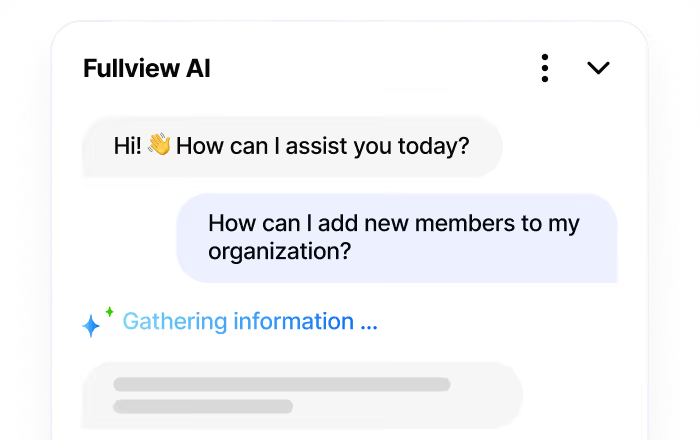

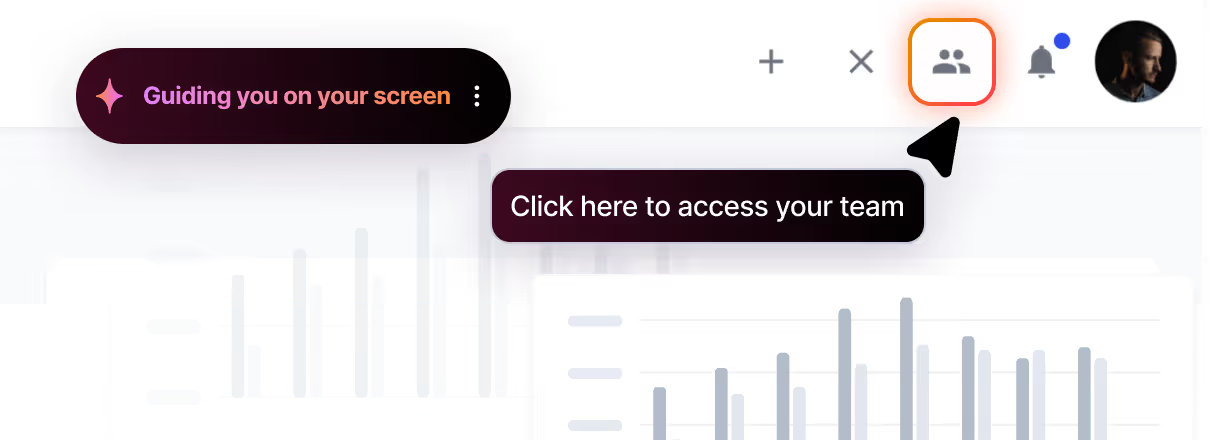


.webp)