Customer Effort Score (CES) has become one of the most powerful predictors of customer loyalty in 2025. Unlike other metrics that measure satisfaction or likelihood to recommend, CES focuses on one critical question: how easy is it for customers to interact with your company?
Research shows that 96% of customers with high-effort experiences become disloyal, compared to just 9% with low-effort experiences. For software companies and SaaS businesses, where complex products can create friction, reducing customer effort is essential for retention and growth.
This guide covers everything you need to know about calculating, benchmarking, and improving your Customer Effort Score.
What is Customer Effort Score (CES)?
Customer Effort Score (CES) is a metric that measures how much effort customers need to exert to complete a transaction, resolve a support issue, or interact with your company in general.
The concept was developed by the Corporate Executive Board (now Gartner) in 2010 after research revealed that low-effort interactions are the key driver of customer loyalty in support experiences.
Why CES Matters More Than Ever in 2025
Customer expectations have fundamentally shifted. Over 60% of customers now abandon brands after experiencing difficulties with issue resolution. Today's customers value convenience and ease as much as product quality.
Key reasons CES is critical:
- Stronger loyalty predictor than satisfaction: CES is 1.8 times more effective than CSAT at predicting customer loyalty and 2 times more predictive than NPS
- Direct impact on retention: 94% of customers with low-effort experiences intend to repurchase, compared to only 4% of those experiencing high effort
- Reduces negative word-of-mouth: 81% of customers who experience high effort will speak negatively about your company to others
- Lowers operational costs: Low-effort interactions cost 37% less than high-effort interactions
- Decreases repeat contacts: Reducing effort can decrease repeat calls by up to 40%, escalations by 50%, and channel switching by 54%
CES vs CSAT vs NPS: Key Differences
While all three metrics measure aspects of customer experience, they serve different purposes:
For customer support teams, CES provides the most actionable insights because it pinpoints exactly where customers struggle, making it easier to identify and fix specific problems.
How to Measure Customer Effort Score
CES Survey Question Formats
Modern CES surveys have evolved from the original version. Here are the most common formats:
CES 2.0 Format (Most Common)
"[Company Name] made it easy for me to handle my issue."
- Scale: 1 (Strongly Disagree) to 7 (Strongly Agree)
This statement-based format tests a hypothesis rather than asking a direct question, leading to more honest responses.
Alternative Formats:
"How easy was it to get your issue resolved today?"
- Scale: 1 (Very Difficult) to 5 (Very Easy)
"Rate the effort required to complete your purchase."
- Scale: 1 (Very High Effort) to 7 (Very Low Effort)
CES Survey Scale Options
You can use different rating scales depending on your needs:
1. Number Scale (Most Common)
Use a 1-5 or 1-7 scale where higher numbers indicate easier experiences. The 7-point scale provides more nuance but takes slightly longer to complete.
2. Likert Scale
Ranges from "Strongly Disagree" to "Strongly Agree" with options like "Somewhat Agree" and "Neutral" in between. This provides context for the numerical rating.
3. Binary Scale
Simple Yes/No questions like "Was your support experience easy?" While quick, binary scales lack nuance and should be used sparingly.
4. Open-Ended Questions
Text fields for qualitative feedback. These are valuable for understanding the "why" behind scores but should follow the primary rating question rather than replace it.
When to Send CES Surveys
Timing is critical for accurate CES measurement. Send surveys:
- Immediately after support interactions: Within 1 hour of ticket resolution
- Post-purchase: Right after checkout completion
- After onboarding: When users complete setup or first use
- Following self-service: After customers use knowledge base or help center
- At key product milestones: After using major features for the first time
The closer to the interaction, the more accurate the feedback.
How to Calculate Customer Effort Score
The CES Formula
Calculating CES depends on which scale you use:
For 1-7 or 1-5 Scales (Average Method):
CES = (Sum of all scores) / (Total number of responses)
This gives you an average score. For a 7-point scale, aim for 5 or higher. For a 5-point scale, aim for 4 or higher.
For Percentage Method (4-7 or 4-5 responses only):
CES % = (Number of 4-5 responses on 5-point scale OR 5-7 responses on 7-point scale) / (Total responses) × 100
This method focuses only on positive experiences (low effort) as a percentage.
CES Calculation Example
Let's say you survey 100 customers using a 1-7 scale where 7 = very easy. You receive these responses:
- 10 responses scored 1-2 (very difficult)
- 15 responses scored 3-4 (neutral to somewhat difficult)
- 30 responses scored 5 (somewhat easy)
- 45 responses scored 6-7 (very easy)
Average Method:If the sum of all scores is 530, your CES would be:530 ÷ 100 = 5.3 CES score
Percentage Method:75 responses scored 5-7 (positive)75 ÷ 100 × 100 = 75% CES
Both methods are valid. The average method provides a single number for tracking, while the percentage method is easier to explain to stakeholders.
Free CES Calculator
Use our free calculator to automatically compute your Customer Effort Score from your survey responses. Simply input your data and instantly see your CES score and percentile.
Customer Effort Score Benchmarks for 2025
What is a Good CES Score?
CES benchmarks vary by industry and measurement scale, but here are general guidelines:
For 7-Point Scale:
- Below 4.0: Poor - High effort experiences, immediate action needed
- 4.0 - 5.0: Fair - Room for significant improvement
- 5.0 - 6.0: Good - Decent effort levels but can optimize further
- 6.0 - 7.0: Excellent - Low effort experiences, maintain and refine
For Percentage Method:
- Below 50%: Critical - Majority of customers experiencing high effort
- 50% - 70%: Needs Improvement - Half of customers struggling
- 70% - 80%: Decent - Solid baseline performance
- 80% - 90%: Very Good - Most customers having easy experiences
- 90% - 100%: Excellent - Exceptional, effortless service
According to CEB Global (now Gartner) benchmark research, a CES score of 70-80% is considered decent, while 90-100% is considered excellent.
CES Benchmarks by Industry (2025)
Different industries have varying CES expectations based on interaction complexity:
Technology & SaaS:
- Average CES: 5.2 on 7-point scale (74% on percentage method)
- Top performers: 6.0+ (85%+)
- High expectations due to tech-savvy customer base
E-commerce & Retail:
- Average CES: 5.5 on 7-point scale (78% on percentage method)
- Top performers: 6.2+ (88%+)
- Amazon consistently achieves 4.5+ on 5-point scale
Financial Services:
- Average CES: 4.8 on 7-point scale (68% on percentage method)
- Top performers: 5.5+ (78%+)
- Regulatory complexity affects scores
Healthcare:
- Average CES: 4.6 on 7-point scale (66% on percentage method)
- Top performers: 5.3+ (76%+)
- Complex processes naturally create friction
Telecommunications:
- Average CES: 4.5 on 7-point scale (64% on percentage method)
- Top performers: 5.2+ (74%+)
- Technical issues often require high effort
Key CES Statistics for 2025
Understanding these benchmarks helps contextualize your performance:
- 96% of customers with high-effort experiences become disloyal vs only 9% with low-effort experiences
- 94% of customers with low-effort interactions intend to repurchase vs 4% with high-effort
- CES scores above 90% demonstrate exceptional service requiring minimal customer effort
- Low effort experiences increase loyalty by 94% showing direct correlation between effort and retention
- Moving a customer from a score of 1 to 5 boosts their loyalty by 22%
- Returns diminish after 5 - customers scoring 7 are only 2% more loyal than those scoring 5
- Companies with high CES scores see 42% faster issue resolution times
- Reducing customer effort decreases repeat calls by 40%, escalations by 50%, and channel switching by 54%
For more customer support statistics, including detailed breakdowns of response times and satisfaction metrics, check out our comprehensive guide.
15 Proven Strategies to Improve Your Customer Effort Score
1. Implement Robust Self-Service Options
52% of Gen Z customers refuse to buy if self-service can't resolve their issues. Create comprehensive knowledge bases, video tutorials, and interactive guides that allow customers to find answers without contacting support.
Action steps:
- Build a searchable help center with step-by-step articles
- Create video walkthroughs for common tasks
- Implement in-app tooltips and contextual help
- Add FAQ sections to product pages
2. Deploy AI-Powered Support Agents
AI customer service delivers an average ROI of $3.50 for every $1 invested, with top performers achieving 8x returns. AI agents can handle routine queries instantly, reducing effort for straightforward issues.
Action steps:
- Implement AI chatbots for common questions
- Use conversational AI for 24/7 availability
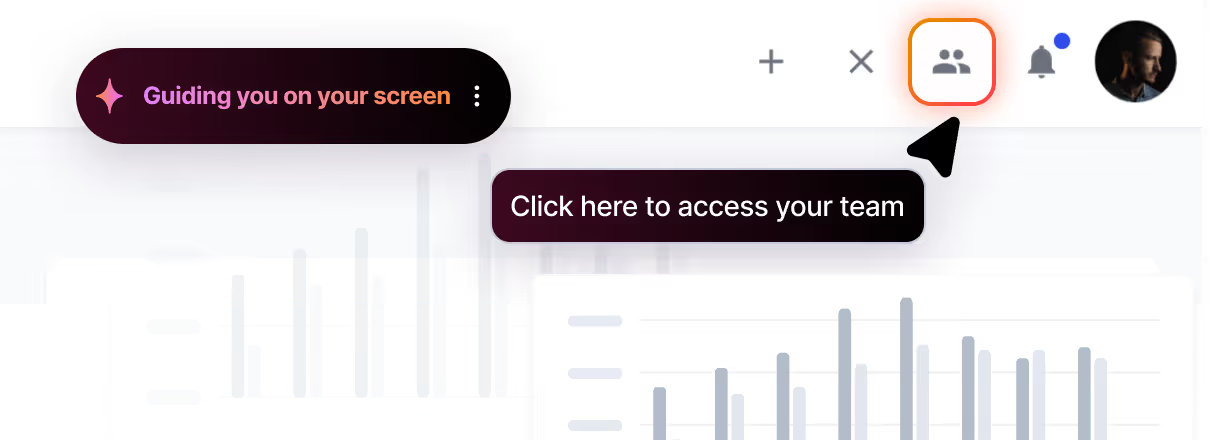
- Deploy AI agents with visual guidance capabilities for complex software issues
- Enable AI to escalate seamlessly to human agents when needed
3. Reduce Response and Resolution Times
90% of customers rate immediate response as critical, with 60% defining immediate as within 10 minutes or less. Fast responses directly reduce customer effort.
Action steps:
- Monitor and optimize first response time
- Set up automated acknowledgments for incoming requests
- Prioritize tickets based on urgency and impact
- Use canned responses for common scenarios (customized for each situation)
4. Minimize Channel Switching
Channel switching is a major indicator of high-effort experiences. Customers shouldn't need to repeat information when moving from chat to email to phone.
Action steps:
- Implement omnichannel support platforms
- Ensure context travels with customers across channels
- Provide consistent information across all touchpoints
- Let customers choose their preferred channel
5. Enable First Contact Resolution
First contact resolution improvements can reduce churn by 67%. When customers get their issues solved on the first interaction, effort is minimized.
Action steps:
- Empower agents with comprehensive product knowledge
- Provide agents with customer history and context
- Reduce unnecessary transfers between departments
- Track and analyze first contact resolution rate
6. Streamline Authentication and Verification
Security is essential, but overly complex authentication creates friction. Balance security with ease of use.
Action steps:
- Implement single sign-on (SSO) where appropriate
- Use biometric authentication for mobile apps
- Reduce the number of verification steps required
- Remember authenticated users across sessions
7. Optimize Your Website and Product Navigation
If customers struggle to find what they need, effort increases dramatically. Intuitive navigation is fundamental to low-effort experiences.
Action steps:
- Conduct user testing to identify navigation pain points
- Simplify menu structures and reduce clicks to key pages
- Add prominent search functionality
- Create clear visual hierarchies
8. Provide Proactive Support
Address potential issues before customers experience them. Proactive support dramatically reduces effort by preventing problems.
Action steps:
- Monitor for common error patterns and notify affected users
- Send proactive updates about known issues
- Provide guidance before customers attempt complex tasks
- Use product analytics to identify struggling users
9. Simplify Forms and Checkout Processes
Every extra form field increases abandonment. Minimize required information and make completion as easy as possible.
Action steps:
- Reduce form fields to essential information only
- Enable auto-fill and saved information
- Show progress indicators for multi-step processes
- Offer guest checkout options for e-commerce
10. Train Support Agents on Effort Reduction
Your team needs to understand that solving problems efficiently matters more than creating delight. Train specifically on reducing customer effort.
Action steps:
- Focus training on clear, concise communication
- Teach agents to anticipate next questions
- Practice forward resolution (preventing future issues)
- Emphasize ownership and accountability
11. Use Visual Guidance for Complex Tasks
For software products, text instructions often create more confusion. Visual guidance shows customers exactly what to do on their screen.
Action steps:
- Implement screen sharing capabilities for support
- Use annotated screenshots in help articles
- Deploy AI agents that can provide step-by-step visual walkthroughs
- Create interactive product tours for onboarding
12. Eliminate Repeat Information Requests
Nothing frustrates customers more than having to repeat their issue multiple times. Ensure information is captured and shared properly.
Action steps:
- Implement comprehensive CRM systems
- Use conversation history in all channels
- Brief agents fully before transfers
- Auto-populate known customer information
13. Set Clear Expectations
Uncertainty increases perceived effort. Be transparent about timelines, processes, and next steps.
Action steps:
- Provide estimated resolution times upfront
- Send status updates automatically
- Explain processes clearly before customers start them
- Follow up to confirm resolution
14. Optimize Mobile Experiences
With increasing mobile usage, difficult mobile experiences create disproportionate effort. Ensure mobile interfaces are intuitive.
Action steps:
- Design mobile-first interfaces
- Test extensively on different devices
- Simplify mobile forms and inputs
- Enable easy mobile authentication
15. Continuously Monitor and Iterate
CES improvement is an ongoing process. Regularly measure, analyze, and optimize based on customer feedback.
Action steps:
- Survey after every support interaction
- Analyze CES trends by channel, issue type, and agent
- Review low-scoring interactions for patterns
- Implement changes and measure impact
For more strategies on improving customer experience, explore our guide on customer service efficiency.
How to Analyze Customer Effort Score Data
Segment Your CES Data
Don't just track overall CES. Segment by:
- Channel: Email, chat, phone, self-service
- Issue Type: Technical problems, billing questions, feature requests
- Product Area: Specific features or modules
- Customer Segment: Enterprise vs SMB, new vs existing customers
- Time Period: Day of week, time of day, seasonal variations
Segmentation reveals where effort is highest and helps prioritize improvements.
Look for Patterns in Low Scores
When customers report high effort, investigate:
- What type of issue were they trying to resolve?
- Which channels did they use?
- How many interactions did resolution require?
- Was the issue ultimately resolved?
- Which agents or teams were involved?
Common high-effort indicators include channel switching, repeat information requests, generic service, transfers, and repeat interactions.
Compare Against Industry Benchmarks
Understanding how you compare to industry standards provides context:
- Are you above or below average for your industry?
- How do you compare to best-in-class performers?
- Which specific areas show the biggest gaps?
Use benchmarking to set realistic improvement targets and justify investments in customer experience improvements.
Track CES Trends Over Time
Single measurements provide snapshots, but trends reveal progress:
- Monitor monthly CES scores to identify improvements or declines
- Compare year-over-year to account for seasonality
- Track before and after implementing changes
- Correlate CES trends with other metrics like CSAT and churn rate
Consistent tracking helps you understand if your improvement efforts are working.
Connect CES to Business Outcomes
Demonstrate CES's business impact by connecting scores to:
- Customer retention: Do low-effort customers stay longer?
- Lifetime value: Do they spend more over time?
- Support costs: Do low-effort interactions cost less?
- Word-of-mouth: Do they refer more customers?
Quantifying the ROI of effort reduction helps secure resources for CX improvements.
CES Best Practices for SaaS and Software Companies
Start Measuring Early
Don't wait until you have thousands of customers. Start measuring CES during beta or early product stages to identify friction points before they become systematic problems.
Integrate CES with Product Analytics
Connect CES survey data with product usage patterns:
- Which features trigger high-effort experiences?
- Do users who struggle with specific tasks report higher effort?
- How does onboarding experience correlate with long-term effort scores?
This integrated view helps prioritize product improvements alongside support enhancements.
Focus on High-Impact Interactions
Not all interactions are equal. Prioritize reducing effort for:
- High-frequency issues that affect many customers
- Complex technical problems that require multiple interactions
- Onboarding and setup processes for new customers
- Billing and account management tasks
Automate CES Survey Deployment
Manual survey sending is inconsistent. Automate CES surveys through your helpdesk platform:
- Trigger surveys automatically after ticket closure
- Send at optimal times based on channel (immediately for chat, 1 hour after email)
- Customize survey questions based on issue type
- Integrate with your CRM for complete customer context
Close the Loop on Negative Scores
When customers report high effort (scores of 1-3 on 7-point scale):
- Have managers reach out within 24 hours
- Understand what created the high effort
- Fix the specific issue if possible
- Document patterns for systematic improvements
Service recovery after high-effort experiences can prevent churn.
Share CES Data Company-Wide
CES isn't just a support metric. Share insights with:
- Product teams: To identify UX friction points
- Engineering: To prioritize bug fixes
- Marketing: To set accurate expectations
- Sales: To understand customer concerns
- Leadership: To justify CX investments
Company-wide awareness drives organization-wide commitment to effort reduction.
Tools and Software for Measuring CES
Survey Platforms with CES Capabilities
Several platforms specialize in CES measurement:
- Nicereply: Integrates with major helpdesks, specialized CES tracking
- Survicate: Multi-channel surveys with CES templates
- Qualtrics: Enterprise-grade CES and experience management
- Zonka Feedback: Multi-channel feedback with CES focus
- Contentsquare: CES surveys with user behavior analytics
Helpdesk Integration
Most modern helpdesk platforms either include CES natively or integrate with survey tools:
- Zendesk: Native satisfaction surveys, integrates with CES tools
- Intercom: Supports custom surveys and third-party integrations
- Freshdesk: Built-in CSAT with CES survey options
- HelpScout: Integrates with Nicereply and other CES platforms
For a comprehensive overview of support software options, see our guide to the best customer support software.
AI-Powered CES Analysis
Advanced tools use AI to analyze open-ended CES feedback:
- Automatic categorization of effort drivers
- Sentiment analysis of qualitative responses
- Pattern recognition across customer segments
- Predictive analytics for churn risk
These capabilities help you act on CES data faster and more effectively.
Common Mistakes to Avoid When Using CES
Mistake 1: Measuring CES Too Infrequently
Survey after every significant interaction, not just quarterly. Frequent measurement helps you identify problems quickly and track improvement efforts accurately.
Mistake 2: Using CES for Everything
CES is best for transactional interactions (support cases, purchases, onboarding). For overall brand perception or product satisfaction, use CSAT or NPS instead.
Mistake 3: Ignoring Low Response Rates
If your CES response rate is below 10%, your data may not be representative. Improve response rates by:
- Keeping surveys extremely short (1-2 questions)
- Sending at optimal times
- Explaining why feedback matters
- Following up on completed surveys
Mistake 4: Not Acting on the Data
Measuring CES without taking action is worse than not measuring at all. It signals to customers that their feedback doesn't matter. Always close the loop and implement improvements based on insights.
Mistake 5: Comparing Across Different Scales
Don't compare a 5-point scale CES to a 7-point scale CES. Standardize your measurement approach and stick with it for accurate trend analysis.
Mistake 6: Focusing Only on the Score
The number matters, but the reasons behind it matter more. Always include an open-ended follow-up question asking why customers gave their score.
The Future of Customer Effort Measurement
AI-Powered Effort Reduction
AI is transforming how companies reduce customer effort:
- Predictive analytics: Anticipating customer needs before they ask
- Automated issue resolution: AI agents handling routine issues instantly
- Personalized experiences: Customizing support based on customer history
- Visual guidance: AI showing customers how to solve problems on-screen
By 2025, 80% of organizations are expected to implement generative AI for customer experience improvements.
Real-Time Effort Monitoring
Future CES measurement will move beyond post-interaction surveys:
- Real-time effort scoring during active interactions
- Biometric feedback indicating frustration or confusion
- Session analytics detecting struggle signals
- Proactive intervention when effort indicators spike
Integration with Customer Health Scores
CES will increasingly factor into comprehensive customer health metrics:
- Combining effort scores with usage patterns
- Correlating effort with expansion and renewal likelihood
- Using effort as an early churn warning signal
- Incorporating effort into customer success workflows
Frequently Asked Questions About Customer Effort Score
What's the difference between CES 1.0 and CES 2.0?
CES 1.0 asked "How much effort did you personally have to put forth to handle your request?" as a question. CES 2.0 uses a statement format: "[Company] made it easy for me to handle my issue." The statement format typically yields more honest and accurate responses because it tests a hypothesis rather than asking customers to self-assess their effort.
How many survey responses do I need for reliable CES data?
You typically need at least 30-50 responses for basic statistical validity, but 100+ responses provide more reliable insights. For companies with thousands of monthly support interactions, aim for a response rate of at least 10-15% to ensure your sample represents your customer base accurately.
Should I use a 5-point or 7-point scale for CES?
Both work well. A 5-point scale is quicker for customers and easier to understand, making it better for high-volume, simple interactions. A 7-point scale provides more nuance and granularity, making it better for complex interactions where you need detailed feedback. Most importantly, choose one and stick with it for consistent comparisons over time.
Can CES predict customer churn?
Yes, CES is one of the strongest predictors of customer loyalty and churn. Research shows that 96% of customers with high-effort experiences become disloyal. High CES scores (indicating high effort) are strong leading indicators that a customer may churn, making CES valuable for proactive retention efforts.
How often should I measure CES?
Measure CES after every significant customer interaction - support tickets, purchases, onboarding sessions, etc. For overall tracking, review aggregated CES data weekly or monthly. Frequent measurement helps you identify problems quickly and track the impact of improvements.
What's more important: CES, CSAT, or NPS?
Each serves different purposes. CES is best for identifying friction in specific interactions, CSAT measures overall satisfaction, and NPS gauges long-term loyalty. For support teams, CES typically provides the most actionable insights. Ideally, use all three for a comprehensive view of customer experience.
How do I improve a low CES score?
Start by analyzing where customers experience the most friction. Common improvement areas include reducing response times, improving first contact resolution, minimizing channel switching, enhancing self-service options, and simplifying complex processes. Focus on the highest-impact issues first and measure the effect of each change.
Does CES vary by channel?
Yes, absolutely. Email support typically has higher effort scores than chat because resolution takes longer. Phone support often has lower effort for complex issues because of real-time interaction. Self-service can have very low effort when working well or very high effort when customers can't find answers. Track CES separately by channel to identify which need the most improvement.
Conclusion
Customer Effort Score is one of the most actionable metrics for improving customer loyalty and reducing churn. By focusing on making customer interactions as effortless as possible, you create experiences that drive retention and positive word-of-mouth.
Key takeaways:
- CES is 1.8 times more predictive of loyalty than CSAT
- 96% of high-effort customers become disloyal vs only 9% of low-effort customers
- Aim for CES scores of 70-80% minimum, with 90%+ being excellent
- Measure CES after every significant interaction for accurate tracking
- Focus improvement efforts on high-frequency, high-impact touchpoints
- Use AI and automation to reduce routine effort systematically
Start measuring your Customer Effort Score today. Identify your biggest friction points, implement improvements, and watch your customer loyalty and retention metrics improve.
For software companies looking to reduce customer effort through AI-powered visual guidance and autonomous support, learn more about Fullview or start your free trial.
Looking for more customer support insights? Explore our guides on average resolution time, QA tools for customer support, and best AI customer service tools.



.webp)