Auto reply messages help businesses respond instantly when customers reach out. Whether you're out of office, handling high volumes, or closed for the day, automated responses keep customers informed and maintain communication flow.
This guide provides 50+ ready-to-use auto reply templates for every customer service scenario, plus best practices for creating effective automated messages.
What Are Auto Reply Messages?
An auto reply message (also called automatic response or autoresponder) is a pre-written message automatically sent when someone contacts your business via email, chat, or text. These messages acknowledge receipt and set expectations for when customers can expect a proper response.
Auto-replies are commonly used across email, live chat, SMS, and social media messaging. They work 24/7 to ensure no customer inquiry goes unacknowledged.
When to Use Auto Reply Messages
Auto-replies work well in specific situations:
- Out of office periods - Vacations, business trips, sick leave
- After business hours - When support team is unavailable
- High volume periods - During product launches, sales, or outages
- Form submissions - Contact forms, newsletter signups, demo requests
- Appointment confirmations - Booking acknowledgments and reminders
- Order confirmations - Purchase receipts and shipping updates
- Support ticket creation - Acknowledgment with reference number
66% of buyers expect responses within 10 minutes, making instant acknowledgment critical even when immediate solutions aren't possible.
Benefits of Auto Reply Messages
Faster response times - Auto-replies send within seconds, meeting customer expectations for immediate acknowledgment
Clear expectations - Messages tell customers when they'll hear back, reducing follow-up inquiries by 35%
24/7 availability - Automated responses work around the clock, even when your team is offline
Time savings - Eliminates manual acknowledgment tasks, freeing agents for complex issues
Consistent communication - Every customer receives the same professional acknowledgment
Potential Drawbacks
Customer preference for humans - 86% of consumers prefer human agents over automated responses
Generic feel - Impersonal messages can frustrate customers if not properly customized
Limited problem-solving - Auto-replies acknowledge but cannot resolve issues
Potential overuse - Too many automated messages without real solutions decrease satisfaction
50+ Auto Reply Message Templates
Copy and customize these templates for your business. Replace bracketed information with your specific details.
Out of Office Messages
Template 1: Standard VacationHi,
Thank you for your message. I am out of the office from [start date] to [end date] with limited email access.
For urgent matters, please contact [colleague name] at [email/phone].
I will respond to your message when I return on [return date].
Best regards,[Your Name]
Template 2: Extended LeaveSubject: Out of Office - Extended Leave
I am currently on leave until [return date] and will not be monitoring email regularly.
For assistance:
- Technical support: [email]
- Billing inquiries: [email]
- General questions: [email]
Your message will be reviewed upon my return.
Template 3: Business TripHello,
I'm traveling for business from [dates] with limited availability.
For time-sensitive matters, please contact [backup person] at [contact info].
I will respond to non-urgent messages when I return on [date].
Thank You for Contacting Us
Template 4: Standard AcknowledgmentHi there,
Thank you for contacting [Company Name]. We have received your message and a support team member will respond within [timeframe].
Ticket reference: [NUMBER]
Need faster help? Visit our help center: [link]
Best regards,[Company Name] Support Team
Template 5: With Response TimelineHello,
We appreciate you reaching out to [Company Name].
Your message has been received and assigned to a specialist. Expected response time: [X] hours during business hours.
Ticket reference: [NUMBER]
Track your ticket: [portal link]
Template 6: With Self-Service OptionsThanks for contacting us!
While our team prepares your response (within [X] hours), check these resources for immediate help:
- Knowledge base: [link]
- Video tutorials: [link]
- Community forum: [link]
Ticket: [NUMBER]
Template 7: Weekend InquiryThanks for reaching out this weekend.
Our support team operates Monday-Friday, 9 AM-6 PM [timezone]. You can expect a response by [next business day] at [time].
Ticket reference: [NUMBER]
After Hours / Closed Messages
Template 8: Standard After HoursThank you for contacting [Company Name].
You've reached us outside our support hours (Monday-Friday, 9 AM-6 PM [timezone]).
We will respond when our team returns at [time on date].
Need immediate help? Try our help center: [link]
Template 9: Weekend ClosureThanks for your message this weekend.
Our support team operates Monday-Friday. You can expect a response by [next business day] morning.
Weekend resources:
- Self-service guides: [link]
- Video library: [link]
Ticket: [NUMBER]
Template 10: Holiday ClosureThank you for contacting [Company Name].
We are closed for [holiday name] and will return on [date] at [time].
Your message has been received and will be answered when our team returns.
Need help during the holiday? Visit our help center: [link]
Template 11: Emergency Contact OptionYou have contacted us outside business hours.
Our support team is available [hours and days]. For urgent critical issues only, call [emergency phone].
Standard inquiries will be answered when we return at [time].
High Volume / Delay Messages
Template 12: High Volume PeriodThank you for contacting [Company Name].
We are experiencing higher than normal support volume. Response times are currently [X] hours longer than our standard [Y]-hour target.
We apologize for the delay and appreciate your patience.
Ticket reference: [NUMBER]
Template 13: Technical Issue DelayWe have received your support request.
Our team is addressing a technical issue affecting multiple customers. We expect resolution by [time/date] and will respond to your inquiry within [X] hours after.
Status updates: [status page link]Ticket: [NUMBER]
Template 14: With Queue PositionThank you for contacting [Company Name].
Current estimated wait time: [X] minutesYour position: [#] in queue
An agent will be with you shortly.
Welcome Messages
Template 15: New Customer WelcomeWelcome to [Company Name]!
We're excited to have you as a customer. Here's what you need to know:
Getting started:
- Access your dashboard: [link]
- Setup guide: [link]
- Video walkthrough: [link]
Support available:
- Email: [email]
- Chat: [link]
- Phone: [number] (Mon-Fri, 9 AM-6 PM)
Template 16: Trial WelcomeWelcome to your [X]-day trial of [Product Name]!
Your trial includes:
- Full feature access until [date]
- Unlimited support
- Free onboarding consultation: [link]
Quick start:
- 5-minute setup guide: [link]
- Best practices: [link]
Questions? Contact us at [email]
Template 17: Service ActivationYour [Service Name] account is now active!
Account details:
- Username: [username]
- Account ID: [ID]
- Plan: [plan name]
Next steps:
- Log in: [portal link]
- Complete your profile
- Configure preferences
Need help? We're available 24/7 at [email]
Connection / Queue Messages
Template 18: Connecting to AgentThank you for contacting [Company Name] support.
An agent will be with you shortly.
Estimated wait time: [X] minutes
While you wait, try our instant answers: [link]
Template 19: Call in ProgressHey [name], thanks for reaching out!
I'm currently on a support call and will get back to you once it ends. I appreciate your patience.
Template 20: Priority SupportThank you for contacting [Company Name] [Priority] Support.
As a [tier] customer, you've been placed in our priority queue.
Expected response time: [X] minutesTicket: [NUMBER]
Appointment & Booking
Template 21: Appointment ConfirmationYour appointment is confirmed!
Details:
- Date: [date]
- Time: [time]
- Location: [address/virtual link]
Add to calendar: [link]Need to reschedule? Call [phone] or reply to this message.
Template 22: Appointment ReminderReminder: You have an appointment tomorrow
Date: [date]Time: [time]Location: [address/link]
To confirm or reschedule, reply to this message or call [phone].
Template 23: Booking RequestThanks for requesting a booking with [Company Name]!
We'll review your request and confirm your appointment within [X] hours.
Reference: [NUMBER]
Questions? Contact us at [phone/email]
Order & Purchase
Template 24: Order ConfirmationThank you for your order!
Order details:
- Order number: [NUMBER]
- Items: [list]
- Total: [amount]
Estimated delivery: [date]Track your order: [link]
Template 25: Shipping NotificationYour order has shipped!
Order: [NUMBER]Tracking: [link]Estimated delivery: [date]
Questions about your shipment? Contact us at [email]
Template 26: Delivery ConfirmationYour order has been delivered!
Order: [NUMBER]Delivered: [date] at [time]
How was your experience? Rate your order: [link]
Feedback & Reviews
Template 27: Feedback RequestYour support ticket [NUMBER] has been resolved.
How did we do? Share your experience: [link]
Your feedback helps us improve our service for all customers.
Template 28: Review RequestThank you for choosing [Company Name]!
We'd love to hear about your experience: [review link]
Your review takes 2 minutes and helps other customers make informed decisions.
Template 29: Survey InvitationHelp us improve [Product Name]!
Share your feedback: [survey link]
Survey topics:
- Ease of use
- Feature value
- Improvement suggestions
Time: 3-5 minutesThank you gift: [incentive]
Complaint Acknowledgment
Template 30: Standard ComplaintThank you for bringing this to our attention.
We take all feedback seriously and are investigating your concern.
Complaint reference: [NUMBER]
What happens next:
- Investigation (within [X] hours)
- Direct contact from our team
- Resolution plan (within [timeframe])
Template 31: Escalated ComplaintYour feedback has been escalated to our leadership team.
Complaint reference: [NUMBER]Assigned to: [Manager/Title]
You will be contacted directly within [X] hours to discuss resolution.
Template 32: Product IssueWe apologize that [Product Name] didn't meet your expectations.
Your complaint has been logged with our quality team.
Reference: [NUMBER]
Immediate action:
- [Replacement/refund] being processed
- Expected resolution: [timeframe]
Contact [email] with questions.
Subscription & Account
Template 33: Password ResetWe received a request to reset your password.
Reset your password: [secure link]
This link expires in [X] hours.
If you didn't request this, ignore this message and your password remains unchanged.
Template 34: Account UpdateYour account has been updated successfully.
Changes:
- [list changes]
- Effective: [date]
Questions about these changes? Contact us at [email]
Template 35: Subscription CancellationYour cancellation request has been received.
Subscription: [name]Cancellation effective: [date]Final billing date: [date]
You will retain access until [date].
Consider pausing instead: [link]
SMS / Text Messages
Template 36: SMS Opt-InYou're subscribed to [Company Name] text messages.
Message frequency: [X] per [timeframe]
Reply HELP for assistanceReply STOP to unsubscribe
Standard rates apply.
Template 37: After Hours SMSThanks for texting us! Our team is available Mon-Fri, 9 AM-6 PM [timezone].
We'll respond when we return at [time].
For urgent matters, call [phone].
Template 38: SMS QueueThanks for your message! You're currently in our text queue.
Expected response time: [X] minutes
Need faster help? Call [phone] or visit [website]
Form Submissions
Template 39: Contact FormThank you for contacting us through our website.
We've received your inquiry and will respond within [timeframe].
Submitted: [date/time]Reference: [number]
Explore these resources while you wait: [link]
Template 40: Demo RequestThanks for requesting a demo of [Product Name]!
Next steps:
- We'll review your requirements
- A specialist will contact you within [X] hours
- Demo duration: approximately [X] minutes
Prepare for your demo:
- Product overview: [link]
- Pricing guide: [link]
Template 41: Quote RequestYour quote request has been received.
A sales representative will prepare a custom quote and contact you within [X] hours.
Reference: [QUOTE-NUMBER]
While you wait:
- Standard pricing: [link]
- Case studies: [link]
Event Registration
Template 42: Event ConfirmationRegistration confirmed for [Event Name]!
Details:
- Date: [date]
- Time: [time] [timezone]
- Location: [venue/virtual link]
Next steps:
- Add to calendar: [link]
- Review agenda: [link]
Questions? Contact [email]
Template 43: Event ReminderReminder: [Event Name] starts tomorrow!
Date: [date]Time: [time]Join here: [link]
Looking forward to seeing you!
Template 44: Post-Event Follow-UpThank you for attending [Event Name]!
Resources from the event:
- Recording: [link]
- Slides: [link]
- Q&A summary: [link]
Questions? Reply to this message.
Return & Refund
Template 45: Return RequestYour return request has been received.
Request: [NUMBER]Item: [product]Amount: [refund amount]
Next steps:
- Print return label: [link]
- Ship within [X] days
- Refund processed [X-Y] days after receipt
Track return: [link]
Template 46: Refund ProcessingYour refund has been processed.
Order: [NUMBER]Amount: [amount]Method: [payment method]
Refund will appear in [X-Y] business days.
Questions? Contact [email]
Technical Support
Template 47: Technical Issue ReceivedWe've received your technical support request.
Issue: [brief description]Ticket: [NUMBER]
Our team will review this and respond within [X] hours.
If we need more information, we'll reach out directly.
Template 48: Bug ReportThanks for reporting this issue!
We've logged your report and our development team is investigating.
Reference: [NUMBER]
We'll update you once the issue is resolved.
Template 49: Feature RequestThank you for your feature suggestion!
Your request has been submitted to our product team for review.
Reference: [NUMBER]
We'll notify you if this feature is added to our roadmap.
Specialized
Template 50: Bulk Order InquiryThank you for your bulk order inquiry.
Our enterprise sales team will contact you within [X] hours to discuss:
- Volume pricing
- Delivery timeline
- Customization options
Reference: [NUMBER]
Questions? Email [email]
Template 51: Partnership InquiryThank you for your interest in partnering with [Company Name].
Your inquiry has been forwarded to our partnerships team.
Response timeline: [X] business days
Review partnership opportunities: [link]
Contact: [email]
Best Practices for Auto Reply Messages
Keep messages concise - Aim for 50-100 words. Mobile users (60% of readers) need scannable content.
Provide accurate timeframes - Set realistic expectations you can meet 95% of the time. Use ranges (2-4 hours) rather than exact promises.
Include ticket references - Give customers a trackable reference number for follow-ups.
Offer alternatives - Link to help centers, FAQs, or emergency contacts for immediate needs.
Personalize when possible - Use customer names and reference their specific inquiry when the information is available.
Match your brand voice - Professional, friendly, casual, or technical - stay consistent with your overall brand tone.
Proofread carefully - Auto-replies represent your brand. Eliminate typos and grammatical errors.
Update regularly - Review auto-reply performance quarterly and adjust based on customer feedback.
Setting Up Auto Replies
Most customer service platforms include auto-reply functionality:
Email platforms:
- Gmail: Settings > See all settings > Filters and Blocked Addresses
- Outlook: File > Automatic Replies (Out of Office)
- Apple Mail: Mail > Preferences > Rules
Help desk software:
- Zendesk: Admin > Business Rules > Triggers
- Intercom: Settings > Workflows > Automated Messages
- Freshdesk: Admin > Automations > Ticket Creation
SMS platforms:
- Most business SMS tools include auto-reply rules based on keywords, time of day, or message type
When Auto-Replies Fall Short
Auto-replies work well for acknowledgment and setting expectations. However, they cannot solve problems, answer specific questions, or take action on customer accounts.
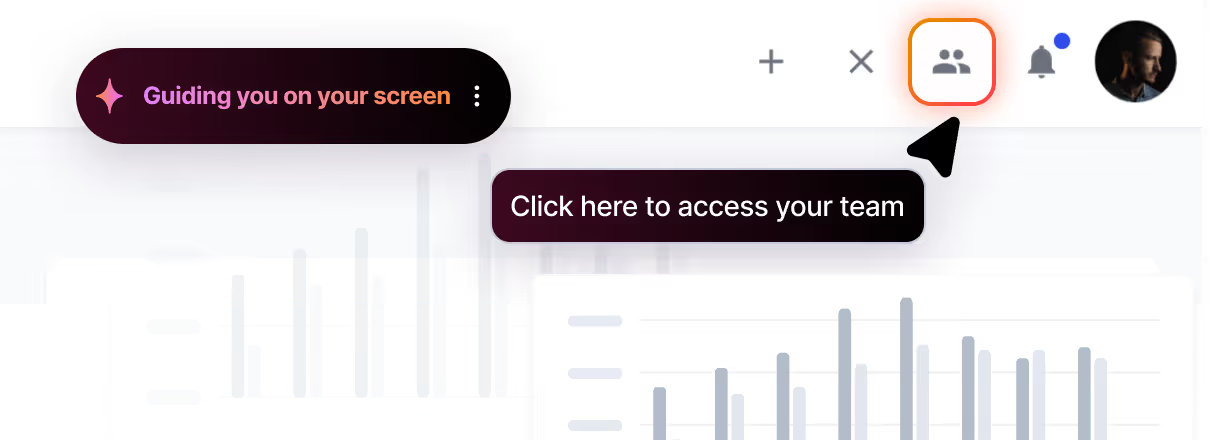
For businesses handling complex support inquiries, intelligent automation can now bridge this gap. Modern AI support agents can understand context, access customer data, and actually resolve issues instead of just acknowledging them. This technology is particularly valuable for:
- Technical troubleshooting requiring system access
- Account modifications and billing adjustments
- Visual guidance through complex product workflows
- Questions requiring personalized responses based on customer history
If your team spends significant time on repetitive tasks that auto-replies only delay, exploring AI-powered solutions may deliver better outcomes. Learn more about AI support agents.
Frequently Asked Questions
How quickly should auto-replies be sent?
Auto-replies should deploy within 2-5 seconds of customer contact. Delays longer than 30 seconds defeat the purpose of instant acknowledgment.
Can auto-replies reduce ticket volume?
Auto-replies alone don't reduce tickets - they only acknowledge them. However, auto-replies that include relevant help center links reduce follow-up tickets by 15-20% when customers find self-service solutions.
Should auto-replies be used for live chat?
Live chat customers expect immediate human interaction. Use queue notifications rather than auto-replies. Auto-replies work best for email, contact forms, and asynchronous messaging where delayed responses are expected.
How long should auto-reply messages be?
Effective auto-replies contain 3-5 sentences (50-100 words). Include acknowledgment, expected response time, ticket reference, and alternative support options.
Do auto-replies improve customer satisfaction?
Auto-replies improve satisfaction when they set accurate expectations and provide useful next steps. Generic auto-replies without useful information can decrease satisfaction.
What information is required in auto-replies?
Essential elements include confirmation of receipt, expected response timeframe, unique ticket reference, and alternative support options. Some industries require additional legal or compliance disclosures.
Conclusion
Auto-reply messages ensure customers know their inquiries have been received, even when immediate solutions aren't possible. The 50+ templates in this guide cover the most common customer service scenarios, ready to customize for your business.
Remember to keep messages concise, set realistic expectations, provide alternatives for urgent needs, and maintain your brand voice. Regular reviews and updates based on customer feedback will keep your auto-replies effective over time.
Ready to upgrade your customer communication? Use these templates to create professional, helpful auto-replies that keep customers informed and engaged.



.webp)